


CCTV for home security is a network of cameras and recorders that capture, store, and let you review activity around your home. A complete setup pairs wired IP cameras with an NVR and secure remote viewing. In the local area, Alpha9 Solutions engineers neat, reliable installations homeowners can trust day and night.
By Aayush Patel — CEO, Alpha9 Solutions
Last updated: May 25, 2026
Overview and table of contents
This complete guide explains how home CCTV works, what to buy, where to place cameras, and how to install and maintain them. You’ll learn wired versus wireless trade-offs, how NVRs and mobile apps fit together, privacy guardrails, and practical steps our licensed team uses on real installations.
- What CCTV is and how it protects households
- Why image quality, night vision, and detection matter
- How PoE wiring and NVRs boost reliability
- Best spots to mount bullet, dome, and turret cameras
- Maintenance, cybersecurity, and privacy basics
- Tools, resources, and a quick configuration workflow
- What is CCTV for home security?
- Why home CCTV matters
- How home CCTV works
- Types of cameras and systems
- Best practices
- Tools and resources
- Case studies and examples
- Frequently asked questions
- Key takeaways
- Conclusion and next steps
What is CCTV for home security?
Home CCTV is a closed video system that records to a local device (often an NVR) and streams to your phone. Modern residential setups favor IP cameras over analog, delivering 4K resolution, smart motion detection, color night vision, and secure remote access—so usable evidence is always within reach.
In our experience, families want simple answers. CCTV means a set of cameras watching doors, driveways, and yards, recording to a box you control. Today, IP cameras dominate because they deliver higher resolution and smarter analytics than older coax-based analog systems.
- IP camera: Network camera using Ethernet and PoE; 4K = 8.3MP at 3840×2160.
- NVR: Network Video Recorder that ingests IP streams, commonly 4–32 channels.
- PoE: Power over Ethernet; one Cat5e/Cat6 cable carries data and power up to 100 meters (328 feet).
- Streams: Main (4K) + substream (lower-res) for remote view efficiency.
For foundational concepts and terminology, our CCTV systems explained guide breaks down signal flow, storage, and app access in plain language.
Why home CCTV matters
A well-designed CCTV system deters break-ins, documents incidents, and speeds reports. Clear 4K footage, color night vision, and precise motion alerts cut false alarms and make evidence usable—improving response time and homeowner confidence without adding daily chores.
We’ve found homeowners appreciate measurable outcomes: fewer blind spots, fewer nuisance notifications, and crisp footage. With smart motion models, alerts trigger on people and vehicles, not rustling trees. Color Night Vision clarifies clothing colors and vehicle details at dusk—exactly when visitors and deliveries spike.
- Clarity: 4K captures small identifiers (near-range plate characters, logos on packages).
- Continuity: 24/7 recording preserves context before and after events.
- Control: Local NVR storage keeps video accessible even if the internet blips.
- Confidence: Remote viewing confirms kids arrived home or packages remain on the porch.
For a quick homeowner overview, scan our home CCTV systems tips; it shows how coverage, camera type, and retention work together.
How home CCTV works
CCTV for home security links IP cameras to an NVR over PoE, then streams to an app for live view and playback. The NVR manages storage, retention, and users while cameras handle image capture, infrared or color night modes, and smart motion analytics.
Here’s the flow we implement in typical homes:
- Plan zones: Map doors, driveway, sidewalk approach, yard gates, and a general overview.
- Run PoE: Pull Cat5e/Cat6 to soffits and interior vantage points; adhere to the 100‑meter segment rule.
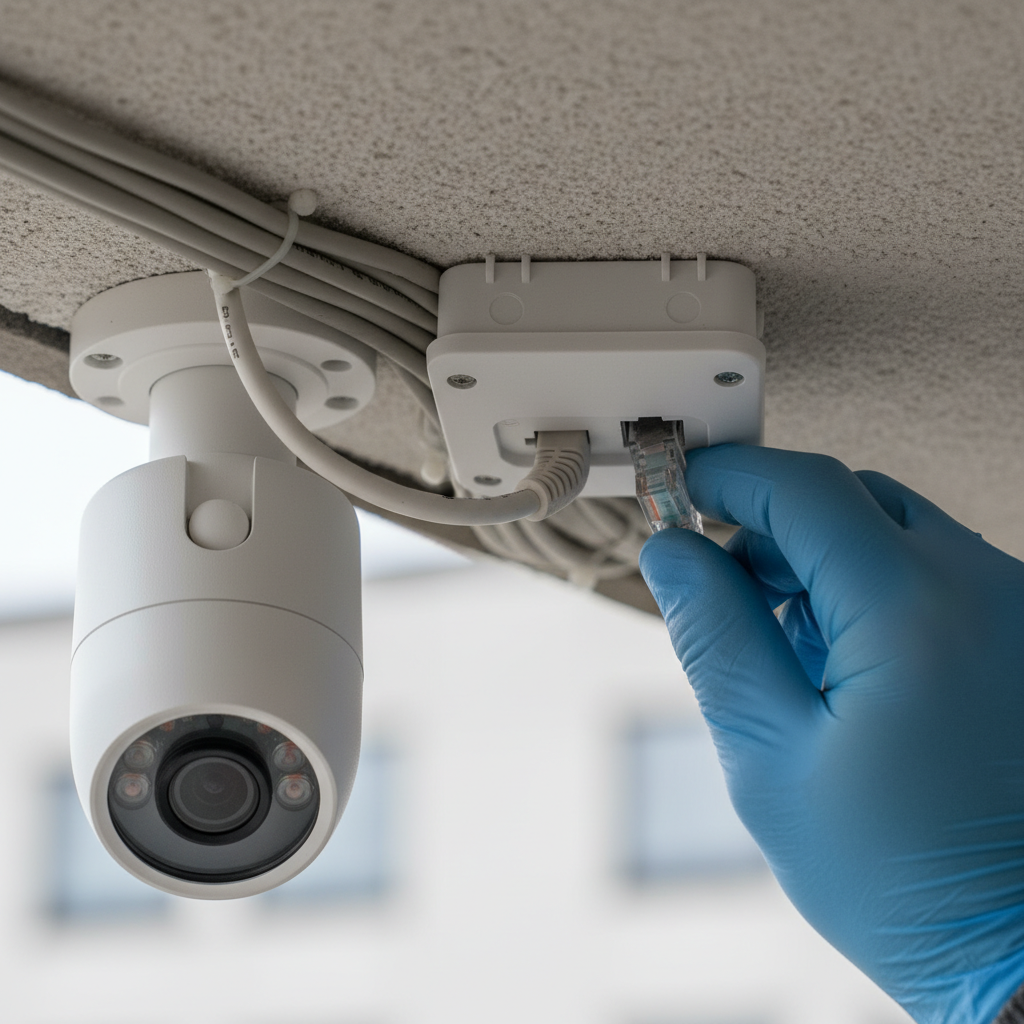
- Mount cameras: Use outdoor junction boxes to protect terminations and keep wire concealment clean.
- Connect NVR: Terminate to a PoE switch or NVR PoE ports; assign channels and names.
- Tune image: Set 4K main stream; choose 30 FPS where motion detail is critical; enable WDR.
- Enable analytics: Turn on person/vehicle detection; restrict zones to reduce false alerts.
- Secure access: Change defaults, create unique users, and enable two-factor if available.
For a step-by-step visual walkthrough, you can reference this third‑party CCTV installation guide; then compare notes with our video surveillance system guide for a homeowner-friendly checklist.
Types of cameras and systems
Home systems mix camera formats (bullet, dome, turret) and features (motorized varifocal, dual‑lens, color night vision) with either an NVR or a cloud app. Wired PoE remains the reliability benchmark; Wi‑Fi helps in spots where cabling is hard.
Common camera formats
- Bullet cameras: Ideal for driveways and side yards; easy to aim and visually deterring.
- Dome cameras: Low-profile for porches and interiors; vandal-resistant options are common.
- Turret cameras: Popular compromise with strong night performance and flexible aiming.
Key features homeowners request
- Color Night Vision: Brighter nighttime scenes under ambient light for truer color.
- Smart motion detection: Person/vehicle analytics dramatically reduce noise.
- Motorized varifocal lens: Remotely adjust view (e.g., 2.7–13.5mm) to frame gates or packages.
- Listen‑in audio: Capture context at entries where state laws allow.
- Remote viewing: Check live feeds and playback from your phone in seconds.
Recorder and storage choices
- NVR systems: 4–16 channels serve most homes; set retention (7–30 days) based on activity and drive size.
- Hybrid approaches: Use an NVR for 24/7 + cloud clips for key events.
- Bit-rate settings: 4K at 15–30 FPS often needs ~6–12 Mbps per camera with H.265, depending on scene complexity.
| Aspect | Wired PoE IP | Wi‑Fi IP |
|---|---|---|
| Reliability | High; dedicated cable | Variable; depends on RF |
| Power | PoE over Ethernet | Outlet or battery |
| Install | Cabling required | Faster; no cable pulls |
| Bandwidth | Gigabit backhaul | Shared 2.4/5 GHz |
| Security | Physically segmented | Harden Wi‑Fi settings |
To compare lens options and form factors at a glance, browse our home camera guide; we cover bullet, dome, and turret use‑cases with placement sketches.
Best practices for planning and installation
Place cameras to cover entrances and approaches at face height, use PoE for reliability, and terminate in weatherproof junction boxes. Set smart detection zones, rotate default passwords, and verify night performance before finalizing mounts to avoid blind spots.
Placement and coverage
- Front door at 6.5–7.5 ft to capture faces under porch lighting.
- Driveway overview at 8–10 ft with a second close-up near the garage.
- Side gate and backyard corners to watch approaches and fence lines.
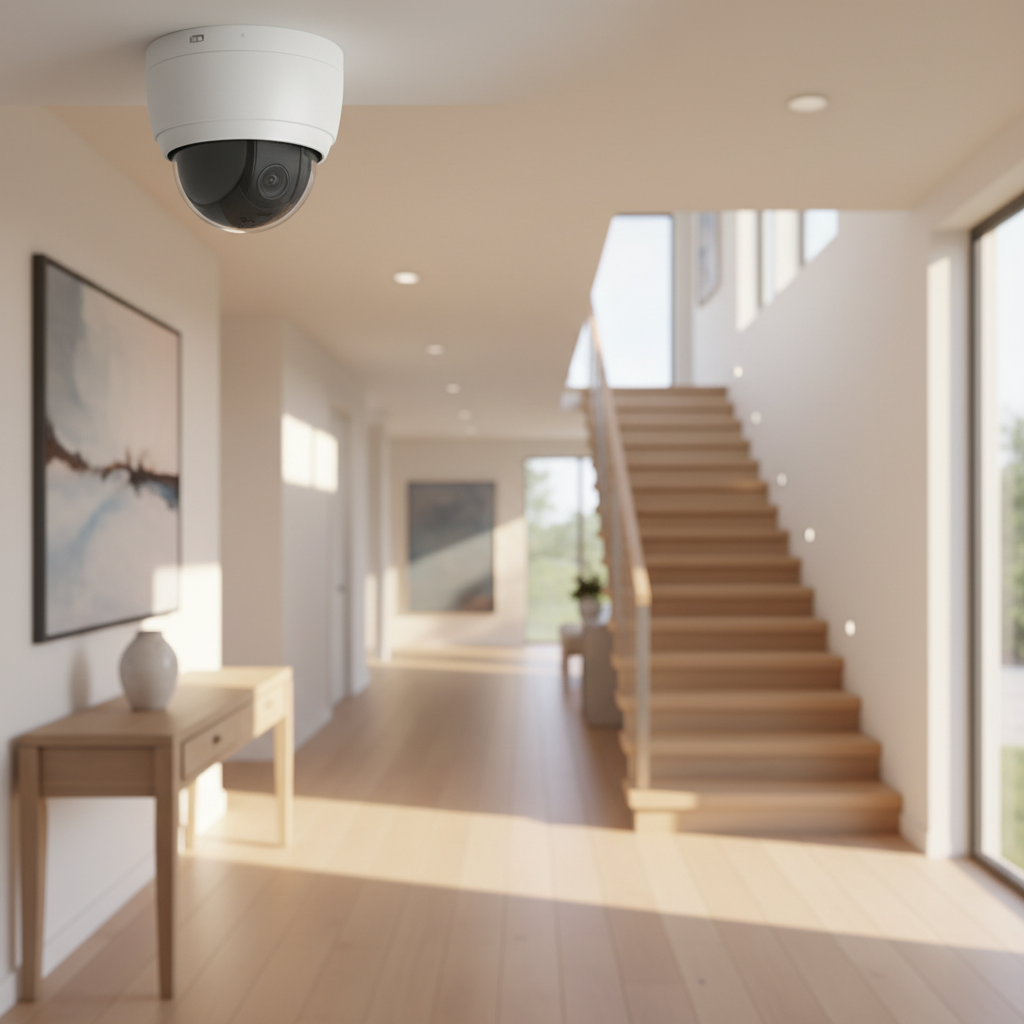
- Interior dome at the main hallway to document comings and goings.
Wiring and terminations
- Run Cat5e/Cat6 in attic or basement chases; label both ends for serviceability.
- Use outdoor junction boxes for terminations; add drip loops to shed water.
- Respect PoE distance limits; use ePoE or extenders for long runs.
- Bond and ground metal junction boxes per electrical best practice.
If you’re mapping a first install, this concise 4K camera overview shows why resolution and frame rate matter when you need usable details.
Cybersecurity and privacy
- Change defaults; create unique roles and strong passphrases.
- Keep firmware current; schedule quarterly checks; back up configs.
- Segment cameras on VLANs where your router/switch supports it.
- Understand consent rules before enabling listen‑in audio.
Local considerations for your area
- Weather swings affect night performance; validate Color Night Vision under your typical ambient lighting.
- Holiday seasons increase deliveries; aim a camera to capture packages and faces at the door.
- If your home has long eaves or brick, pre‑plan junction box locations for clean wire concealment and future service.
Free home CCTV planning session
Want a neat, code‑conscious install with minimal disruption? Our licensed electricians design, pull PoE neatly, and tune analytics. Explore options in our shop security cameras collection or request a quick assessment today.
Tools and resources
Plan with a sketch, a fish tape, and a PoE tester. Choose feature‑rich 4K IP cameras, a right‑sized NVR, junction boxes, and weather‑rated connectors. Validate streams on a mobile app, then document channels, passwords, and retention so the system stays reliable over time.
- 4K PoE IP cameras with Color Night Vision and smart motion detection.
- NVR with enough channels and drive bays to meet retention goals.
- Outdoor junction boxes and stainless hardware for weather exposure.
- PoE switch or an NVR with integrated PoE ports.
- Label maker, tone tracer, and PoE multimeter/tester.
For the tech‑minded, IP cameras integrate naturally with an IP cameras architecture and benefit from professional electrical know‑how for safe routes, grounding, and clean finishes. Our CCTV surveillance primer outlines feature sets you can expect from current‑gen systems.
Case studies and examples
Real‑world home CCTV wins come from thoughtful coverage, clean cabling, and tuned analytics. The mini‑scenarios below show how choices like lens selection or junction box placement translate into clearer evidence, fewer alerts, and long‑term reliability for everyday homeowners.
- Porch package clarity: Swapping a fixed 2.8mm for a motorized varifocal narrowed the view to the door frame, improving face detail at dusk.
- Driveway incidents: Adding a second bullet at garage height captured plates within 20–30 feet, aiding a neighborhood report.
- Backyard coverage: A turret under a soffit with Color Night Vision recorded usable color 45 minutes after sunset under patio lights.
- Noise reduction: Switching to person/vehicle detection cut false alerts significantly during windy nights.
- Network stability: Moving a camera from Wi‑Fi to PoE eliminated intermittent dropouts during streaming peaks.
- Serviceability: Outdoor junction boxes made future replacements tool‑light and avoided re‑drilling exterior finishes.
- App confidence: Remote viewing let a traveling homeowner verify kids arrived home on school days in seconds.
- Privacy guardrails: An interior hallway dome recorded traffic without capturing private rooms by careful angle selection.
- Retention tuning: Adjusting bit‑rate and recording schedules extended useful retention from ~10 to ~20 days on the same drives.
- Seasonal lighting: Adding low‑voltage security lighting near the side gate improved nighttime detection reliability all winter.
To see a ready‑made example of an all‑in‑one kit that checks these boxes, browse this 4K NVR bundle with smart IP bullets. Pair it with the placement ideas in our vision CCTV guide to align coverage with real‑world approaches.
Frequently asked questions
These quick answers cover the basics of home CCTV selection, installation, and use—from camera types to NVRs, apps, and privacy. Each reply is concise and practical so you can act with confidence and avoid common pitfalls that lead to poor footage or missed events.
What’s the difference between a DVR and an NVR?
DVRs record analog cameras over coax, while NVRs record IP cameras over Ethernet. For modern homes, NVRs are preferred because they support higher resolutions like 4K, smarter motion detection, and simpler single‑cable PoE runs for power and data.
How many home cameras do I really need?
Most homes do well with 4–8 cameras: front door, driveway overview, garage close‑up, side gate, backyard corners, and one interior hallway dome. The exact count depends on lot layout, entries, and whether you want a wide overview plus close‑up views.
Do I need internet for CCTV to work?
An NVR records locally without internet, so live view and playback still work on your home network. Internet is required for remote viewing, push alerts when you’re away, and firmware updates that keep security features current.
Where should I place indoor cameras for privacy?
Aim at common areas like the entryway or main hallway to document who came and went, not private rooms. Disable audio where not needed, and limit notifications to person events to reduce unnecessary recordings of everyday activity.
Key takeaways
Choose PoE IP cameras, plan coverage for entries and approaches, and record to an NVR. Tune analytics for people and vehicles, validate color night performance, and secure accounts. These steps deliver clear footage, fewer false alerts, and dependable access when you need it most.
- PoE wiring and local NVR storage provide consistent, 24/7 recording.
- 4K resolution, Color Night Vision, and smart motion boost evidence quality.
- Junction boxes and labeled cabling simplify service and keep exteriors neat.
- Account security and firmware hygiene protect your system long‑term.
- Remote viewing adds day‑to‑day peace of mind for busy households.
Conclusion and next steps
The best home CCTV blends 4K PoE cameras, a right‑sized NVR, and tuned analytics. Plan coverage, run clean terminations, and secure access. If you want expert help, Alpha9 Solutions can design, install, and support a system that fits your home and minimizes disruption.
Ready to plan your system? We’ll help you select feature‑rich IP cameras, size an NVR, and complete a neat, code‑conscious install. For more context, see our CCTV surveillance overview and this installation walkthrough, then book a quick assessment with our team.


