


Hikvision NVR 16 refers to a 16-channel network video recorder from Hikvision that manages up to sixteen IP cameras over a network. It records, stores, and streams footage—often in 4K at 30 FPS—with PoE power for cameras. For homeowners and small businesses in the local area, it centralizes security so Alpha9 Solutions can deploy fast, reliable surveillance.
By Alpha9 Solutions • Last updated: 2026-06-07
Above-Fold: Why a 16‑Channel NVR and What You’ll Learn
A 16-channel NVR hits the sweet spot for homes and small-to-midsize businesses: enough inputs for expansion, 4K-ready recording, and simple PoE wiring in one box. This guide shows how a Hikvision 16-channel NVR works, what to buy, how to install, and the best practices Alpha9 Solutions follows on real projects.
In our experience, most properties outgrow 4–8 channels quickly once they add driveway, entry, office, and warehouse views. A Hikvision NVR 16 supports that growth without a complex multi-recorder setup.
- What a 16‑channel Hikvision NVR is and when to choose it
- How it works with 4K IP cameras, PoE, and smart motion
- Wiring, network, and storage planning (with simple math)
- Best practices for clean installs and remote viewing
- Real examples from homes, shops, and facilities
Overview
A Hikvision 16-channel NVR combines video management, PoE power, and storage for up to sixteen IP cameras. It simplifies installation, supports 4K, and centralizes alerts and playback. For most small sites, it balances coverage and scalability better than 8-channel options without the complexity of 32-channel systems.
Alpha9 Solutions blends licensed electrical expertise with modern IP surveillance, so we design camera coverage and wiring paths that are safe, tidy, and expandable. A 16-channel unit usually fits single sites up to ~12–20 cameras, leaving headroom for growth.
- Channels: up to 16 cameras over standard Ethernet
- Resolution: up to 4K (3840×2160) on supported models
- Frame rate: commonly 30 FPS per stream at 4K on capable cameras
- Storage: 1–2 internal bays typical; multi-terabyte capacity
- PoE: integrated or external switches; power and data on one cable
What Is a 16‑Channel Hikvision NVR?
A 16-channel Hikvision NVR is a network video recorder that ingests up to sixteen IP camera streams, records them to internal drives, and provides live view, playback, and alerts. Many units include PoE ports, making one cable per camera handle both power and data for faster, cleaner installs.
Think of it as the hub of your CCTV cameras: it authenticates streams, stores footage, and provides motion-triggered events, analytics, and mobile access. With models that support 4K and 30 FPS, you capture crisp detail like license plates or faces, especially when paired with Color Night Vision cameras.
Core components you interact with
- Ethernet PoE ports: connect cameras via Cat5e/Cat6, often up to 328 ft (100 m).
- LAN uplink: ties the NVR to your router/switch for remote viewing.
- Drive bays: surveillance-rated HDDs handle continuous writes (24×7).
- HDMI/DisplayPort: local monitor output for setup and live view.
- Alarm I/O: integrate door contacts, sirens, or strobe lighting.
For a deeper refresher on recorder fundamentals, our NVR guide breaks down features and specs in plain language.
Why Choose 16 Channels Over 8 or 32?
Sixteen channels give typical homes and small businesses coverage plus growth. It’s more flexible than 8 channels and usually simpler than jumping to 32, which can add larger chassis, higher power draw, and bigger storage planning. Sixteen strikes a balance between capability and manageability.
We’ve found a 16-channel path fits sites with multiple entrances, loading areas, and interior aisles. It’s also ideal when you want specialty views like a panoramic camera or motorized varifocal lens units for gates.
Coverage planning benchmarks
- Entrances and exits: 2–4 cameras (front, rear, side doors, loading dock).
- Perimeter: 4–8 cameras spaced 40–60 ft apart with overlapping FOVs.
- Interiors: 4–6 cameras for lobbies, aisles, cash points, and hallways.
- Specialty: 1–2 cameras for license plates, safes, or server rooms.
Compare architectures in our CCTV video recorder explainer to see how recorders scale across sites.
How a 16‑Channel NVR Works
A 16-channel NVR authenticates each IP camera, receives compressed video (H.264/H.265), writes it to surveillance drives, and serves live/recorded streams to clients. With PoE, each camera’s power and data travel on the same Ethernet run, simplifying installation and reducing failure points.
Each stream’s bitrate (for example, 8 Mbps at 4K/30 FPS) dictates storage and network loads. Sixteen such cameras would be 128 Mbps sustained—within Gigabit Ethernet limits but significant for HDDs and long retention goals.
Data flow, simplified
- Encoding: Cameras compress video (H.265 saves ~30–50% over H.264).
- Transport: RTSP over TCP/UDP; ONVIF ensures cross-brand compatibility.
- Recording: NVR writes to CMR surveillance HDDs designed for 24×7 use.
- Playback: Clients request time ranges; NVR streams indexed clips.
- Smart events: Motion zones, line crossing, person/vehicle filtering reduce noise.
For a more complete system view, our video surveillance guide outlines camera placement and network layouts we use in the field.
Types, Models, and Approaches
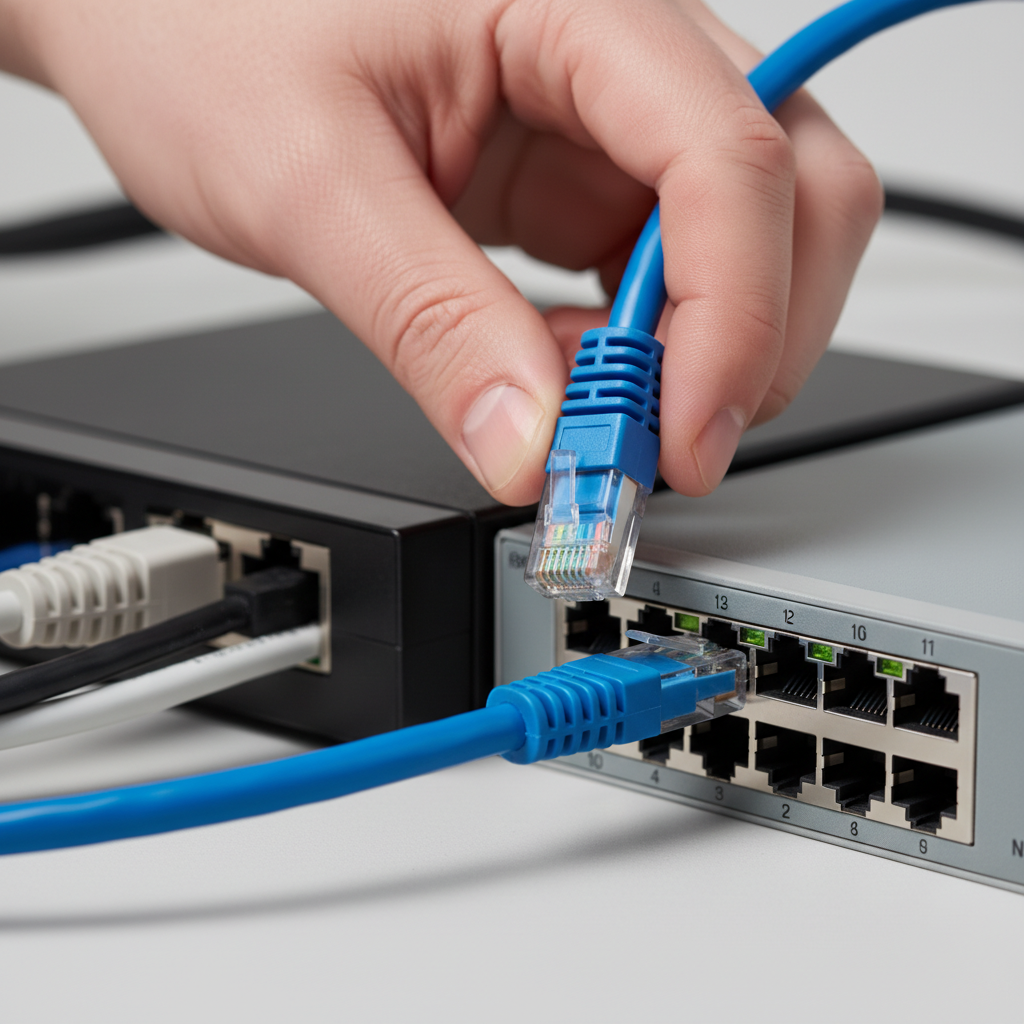
Hikvision’s 16-channel lineup spans compact 1U chassis with built-in PoE to larger recorders with more drive bays and advanced analytics. Choose PoE-integrated models for simple wiring, or non-PoE units with external switches when you need flexible switch placement or ePoE distances.
While model numbers vary, look for these capabilities to future-proof your system.
Spec signals that matter
- Decoding capacity: e.g., 4 × 4K streams live; ensures smooth multi-camera views.
- Max incoming bandwidth: aim for ≥160 Mbps for 4K-heavy mixes.
- Storage bays: two bays can double retention or enable RAID1 mirroring.
- PoE budget: total watts across sixteen ports; typical 120–200 W.
- AI analytics: person/vehicle filters cut false alerts by large margins.
If you anticipate fast growth, compare a 32-channel path like this 32-channel NVR option for multi-building coverage while keeping a 16-channel for the main floor.
Camera Compatibility and Key Features
A 16-channel Hikvision NVR pairs well with 4K IP cameras, Color Night Vision, smart motion detection, and motorized varifocal lenses. ONVIF support enables cross-brand use, but matching camera and NVR features (codecs, analytics) preserves advanced functions and simplifies support.
Alpha9 Solutions curates 4K wired IP cameras with listen-in audio, vandal resistance, and security lighting options. We often blend dome, bullet, and turret cameras to balance deterrence and discretion, plus a panoramic view camera to cut blind spots at intersections.
- 4K resolution: sharper ID; 3840×2160 provides ~4× Full HD pixels.
- Color Night Vision: preserves color detail under low light, boosting recognition.
- Smart motion: person/vehicle filtering reduces nuisance alerts.
- Varifocal lens: motorized zoom tunes fields of view from 2.8–12 mm ranges.
- 30 FPS recording: smooth motion; 1 frame every ~33 ms aids evidence review.
- Remote viewing: mobile apps deliver push alerts and instant playback.
If you prefer a packaged route, review this 16-camera wired NVR system that pairs well with 16-channel recorders.
Best Practices for Installation and Wiring
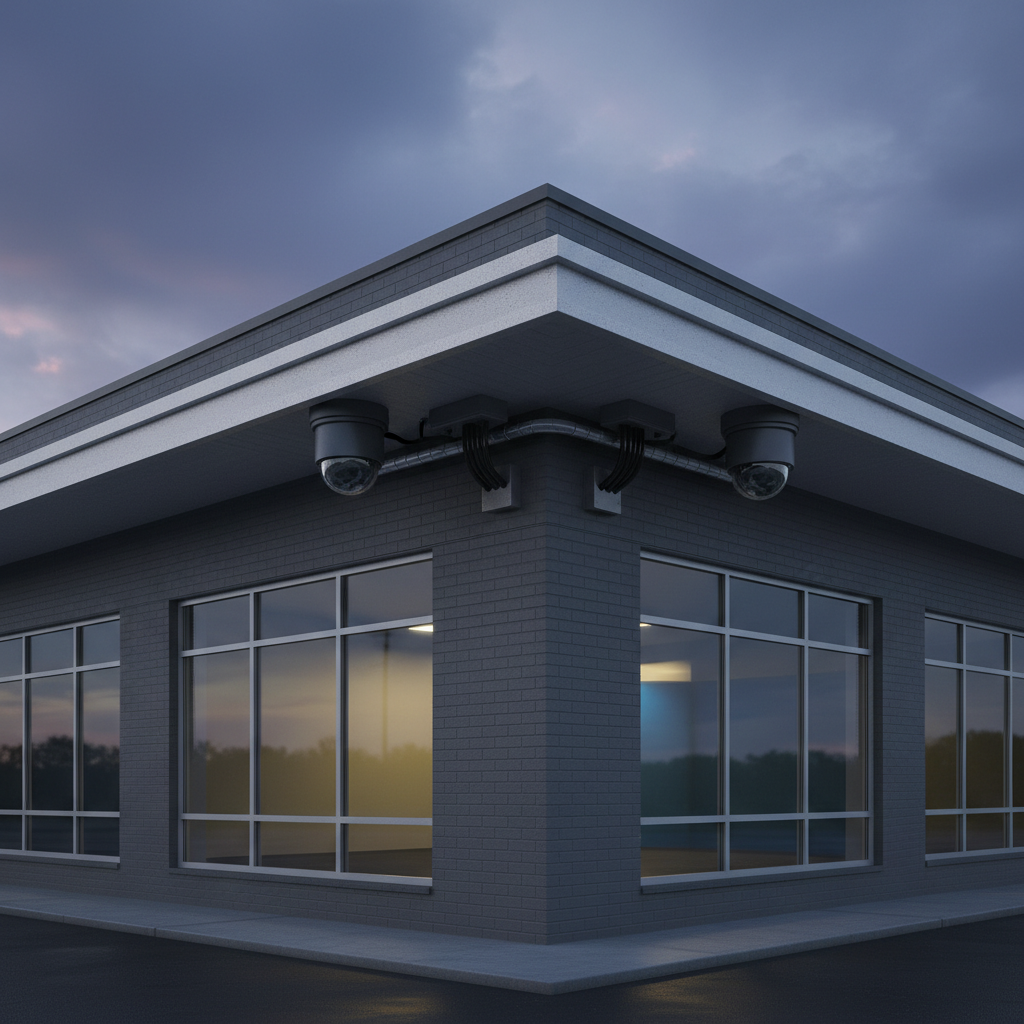
Use Cat6 for new runs, keep PoE cable lengths under 328 ft (100 m), and protect exterior terminations with outdoor junction boxes. Label both ends, separate network and power cabling, and plan camera fields of view before drilling. Clean cable management reduces troubleshooting hours later.
Because we’re licensed electricians, we route cabling to meet code, protect penetrations, and avoid EMI near high-voltage lines. These steps improve signal integrity and long-term reliability.
Field-proven tips
- Pre-aim on ladders: live view while aiming saves ~20–30 minutes per camera.
- Seal exterior holes: silicone and grommets keep moisture out, preserving Cat6.
- Surge protection: protect NVR and switches with UPS and Ethernet surge units.
- Junction boxes: conceal pigtails, keep crimps dry, and simplify service swaps.
- PoE budget math: add 3–5 W per typical camera; PTZs can demand 15–30 W.
Explore placement do’s and don’ts in our home CCTV systems primer to map entrances, driveways, and yards effectively.
Tools and Resources You’ll Need
Plan on a PoE switch or built-in PoE NVR, Cat6 cabling, a punch-down or crimp kit, a cable tester, and surveillance-rated drives. A UPS keeps recordings intact during short outages. A laptop with ONVIF tools and vendor camera utilities streamlines discovery and firmware updates.
Install kit checklist
- Cat6 cable + RJ45 ends: maintain 1-inch bend radius and proper color order.
- Cable tester: verify pinout; saves hours chasing intermittent faults.
- PoE switch: match total PoE budget to camera draw plus 20% headroom.
- Surveillance HDDs: 24×7 write duty; size for retention goal and bitrate.
- UPS: 10–15 minutes runtime protects against abrupt power loss.
- Ladder and PPE: safe height access; protect eyes when drilling soffits.
Want a packaged overview of recorder choices? See our NVR buyer’s guide for decision trees and examples.
Step-by-Step Setup (Alpha9 Solutions Method)
Wire cameras to PoE, initialize the NVR, set time/NTP, add cameras via ONVIF, tune bitrates and motion zones, test remote access, and back up a sample clip. This flow verifies power, recording, alerts, and retrieval before you drill into daily operations.
- Bench test: power the NVR and one camera; confirm link LEDs and live view.
- Initialize: set admin password, recovery email, and enable auto-lock.
- Time sync: configure NTP; accurate time is critical for evidence.
- Network: set static IP for NVR and reserve DHCP for cameras.
- Add cameras: discover via ONVIF; set unique passwords and names.
- Bitrate/FPS: e.g., 4K/15–30 FPS H.265; set substreams for mobile.
- Motion zones: mask roads/trees; enable person/vehicle filtering.
- Storage: format drives; set retention targets per camera role.
- Remote viewing: test app login, push alerts, and cellular playback.
- Backup test: export 1–2 minutes; verify file integrity on another PC.
| Step | Goal | Quick Check |
|---|---|---|
| Bench test | Verify power and links | Link LEDs, live view |
| Initialize | Secure admin | Strong password set |
| Time sync | Accurate logs | NTP shows “synced” |
| Add cameras | Stable streams | Names, ONVIF OK |
| Bitrate/FPS | Balanced quality | CPU/disk normal |
| Motion zones | Fewer false alerts | Alert volume drops |
| Storage | Target retention | Days match plan |
| Remote view | Mobile visibility | LTE playback OK |
| Backup test | Export confidence | File opens elsewhere |
Storage and Retention Planning
Estimate storage by multiplying bitrate × seconds × days × cameras. For example: 8 Mbps × 86,400 × 14 × 12 ≈ 1,160,000 Mb/day—roughly 145 GB/day per camera and ~1.74 TB/day for 12 cameras. H.265, variable bitrate, and motion-only recording reduce totals significantly.
We keep planning simple with per-role targets. Entrances might need 14–30 days; license-plate cams 7–14 days at higher bitrates; interior aisles 7–21 days. Substreams at 640×360 or 704×480 cut mobile bandwidth while keeping main streams pristine.
- Bitrate knobs: resolution, FPS, and compression profile have the biggest impact.
- Multi-bay NVRs: enable RAID1 mirroring for redundancy when footage is mission-critical.
- Export habits: exporting weekly incident clips prevents drive sprawl and keeps audits tidy.
For full-system context, our home video security overview explains how retention and camera roles drive spec choices.
Troubleshooting and Maintenance
Most issues trace to cabling, power, or IP conflicts. Start with link LEDs, PoE draw, and IP scans. Keep firmware updated, replace failing HDDs proactively, and check motion zones seasonally. Logging a 60-second sample per camera each quarter catches silent failures early.
Quick diagnostic flow
- No video: verify PoE power (port LED), then test with short known-good patch.
- Choppy playback: lower FPS to 15, set H.265, and confirm disk SMART status.
- False alerts: add exclusion zones, enable person/vehicle filters, and adjust sensitivity.
- Remote issues: test on local Wi‑Fi first; then check app credentials and NVR firewall rules.
- Storage errors: run HDD health test; surveillance drives often show early SMART warnings.
When we service systems, we document cable maps, passwords, and camera names. This single habit can cut troubleshooting time by half on future calls.
Security and Privacy Essentials
Harden your NVR with unique admin credentials, MFA where available, and network segmentation. Disable unused services, keep firmware current, and restrict remote access to known clients. Encrypt exports and audit users quarterly so access matches roles and turnover.
- Passwords: 12+ characters, mixed types; never reuse across systems.
- Network: place the NVR on a VLAN; block unsolicited WAN port exposure.
- Users: grant “live view” without delete rights for most staff.
- Updates: schedule quarterly firmware checks and change logs.
- Backups: export incident clips to encrypted USB or secure cloud storage.
If you’re evaluating hybrid setups, our hybrid NVR explainer covers mixing analog and IP on the same recorder during transitions.
Pricing Factors and ROI (Without Numbers)
Value depends on coverage goals, camera mix (4K vs. 1080p), storage days, and installation complexity. A tidy, code-compliant install with the right NVR capacity avoids rework, protects warranty, and reduces downtime—often yielding better lifetime value than the cheapest path.
- Cameras: 4K and motorized varifocal units add capability and increase power/storage needs.
- NVR class: PoE vs. non‑PoE, single vs. dual-bay, analytics support.
- Wiring: attic/soffit access, conduit needs, and exterior junction boxes.
- Network: existing switch capacity, VLANs, and UPS run time.
- Compliance: signage, retention policy, and user training.
If you’re deciding between a kit and a la carte components, compare a packaged 16-camera NVR kit with a build-your-own design for flexibility.
Case Studies and Real-World Examples
Across homes, retail, and light industrial sites, 16 channels consistently hit the “just right” mark. The patterns below show how we balance deterrence, identification, and storage while keeping cable runs clean and safe as licensed electricians.
Homeowner: front-to-back coverage
- Mix: 10 cameras (4 exterior, 6 interior common areas), 4K exterior, 1080p interior.
- Storage: 14 days exterior at 8–10 Mbps; 7 days interior at 4–6 Mbps.
- Result: front porch IDs improved; package disputes resolved with color night detail.
Cafe + office: counterfeits and crowd flow
- Mix: 12 cameras (registers, entry, patio, back-of-house), varifocal at registers.
- Smart events: person/vehicle filters cut false alerts by more than half.
- Result: staff dispute reviewed in 4K/30; patio loitering deterred with lighting-enabled cams.
Facility manager: parking and dock lanes
- Mix: 14 cameras (perimeter + dock), LP cam at 60–80 ft standoff, 1/1000 shutter.
- Network: two PoE switches home-run to NVR; total PoE draw ~110 W.
- Result: plate reads consistent; shrink incidents dropped after blind-spot fill.
Want a process walkthrough? Our Hikvision NVR setup guide shows the same commissioning steps we use daily.
Tools, Software, and Apps
Use vendor discovery tools, ONVIF Device Manager, and mobile apps for alerts and playback. Keep a firmware folder per site and a standard naming convention for cameras. Document everything—SSIDs, VLANs, and port maps—so changes are safe and repeatable.
- ONVIF tools: confirm profiles, video URLs, and motion event support.
- Mobile app: enable push notifications and safe device biometrics.
- Firmware hygiene: test updates on one camera before fleet rollout.
- Naming scheme: CAM‑01‑FRONT‑DOOR beats “CAM1” when minutes matter.
For a plain-English system overview, see our surveillance system guide and align tools with your goals.
FAQ: Hikvision 16‑Channel NVRs
These are the questions we hear most from homeowners, shop owners, and facility managers. Answers are drawn from daily field work by Alpha9 Solutions’ licensed, low-voltage team and reflect what delivers stable, clear video with low hassle.
Will a Hikvision NVR 16 handle all my 4K cameras?
Yes—if the NVR’s incoming bandwidth supports your total bitrate. For example, twelve 4K cameras at 8 Mbps each equal 96 Mbps. Confirm the NVR’s rated limit and set H.265 plus sensible FPS (15–30) to keep streams smooth and storage on target.
Do I need built-in PoE or a separate switch?
Built-in PoE simplifies small sites—one box, one UPS. External PoE gives flexible switch placement and power budgets, helpful for distant wings or ePoE runs. Many sites blend both: the NVR’s PoE for close cameras and a remote switch for far clusters.
How many days of storage should I plan?
Most homes aim for 7–14 days; shops and facilities often target 14–30 days on key cameras. The math is bitrate × seconds × days × cameras. Motion-only recording and H.265 can significantly extend retention without adding drives.
Can I mix brands with a Hikvision NVR 16?
Yes, via ONVIF. You’ll keep core streaming and motion events, but brand-specific analytics may not carry over. For the simplest support experience, keep most cameras within one ecosystem and verify critical features before full rollout.
What if I later need more than 16 cameras?
Add a second recorder or migrate to a 32-channel unit. Many sites keep the original 16-channel NVR for the main building and add a 32-channel model for new wings. Shared viewing software or apps allow unified dashboards across multiple NVRs.
Local considerations for your area
- Seasonal rain and heat cycles can affect exterior junction seals. We re-check gaskets and cable drip loops during routine maintenance so moisture never compromises Cat6 terminations.
- Holiday peaks and extended hours increase incident windows. We often raise bitrates to 8–10 Mbps on exterior 4K cameras for sharper nighttime detail during busy periods.
- Shops near high-traffic roads benefit from person/vehicle filters and exclusion zones to prevent constant notifications from street movement and headlights.
Related Reading and Next Steps
Deepen your plan with recorder fundamentals, system design tips, and hybrid migration paths. The internal resources below align with how we scope, install, and support 16-channel NVR deployments for homes, retailers, and light industrial sites.
Brush up on recorder choices in our NVR fundamentals, then explore a broader surveillance system guide to map coverage, and see hybrid NVR options if you’re migrating from analog. For homeowner-friendly context, our home video security overview and CCTV for home security articles connect the dots.
Key Takeaways
A Hikvision NVR 16 balances coverage, simplicity, and growth. Pair it with 4K IP cameras, tidy Cat6 runs, and right-sized storage. Secure credentials, segment networks, and test exports. With this foundation, you’ll capture clear evidence and reduce daily friction.
- Sixteen channels cover doors, perimeters, and key interiors with room to grow.
- H.265 and motion recording stretch storage without sacrificing clarity.
- Clean wiring, proper PoE budgets, and UPS protection boost uptime.
- Person/vehicle filters reduce alert noise and speed incident triage.
- Document everything—names, maps, retention goals—to simplify support.
Conclusion: Get It Done Right the First Time
Choose a 16-channel Hikvision NVR when you need clear coverage today and headroom for tomorrow. Plan storage with simple math, wire with care, and harden access. Alpha9 Solutions combines licensed electrical work with modern IP know-how to deliver neat, reliable, future-ready systems.
Here’s the thing: security is equal parts planning and execution. When we survey a site, we sketch fields of view, confirm PoE budgets, and size storage by role. Then we label, test, and document—so you’re not guessing during an incident. Want the same process? Schedule a no-pressure consult, and we’ll map it out together.
Soft CTA: Ready to design a clean, scalable system around a Hikvision NVR 16? Visit our store or contact Alpha9 Solutions for a free estimate and a practical plan you can act on.


