


Hikvision NVR refers to Hikvision’s line of network video recorders—purpose-built devices that power, record, and manage IP security cameras over Ethernet. They consolidate video streams, store footage for days or weeks, and enable remote viewing. For homeowners and small businesses in the local area, Alpha9 Solutions installs, configures, and supports NVR systems end to end.
By Aayush Patel, CEO — Alpha9 Solutions
Last updated: 2026-05-15
If you’re comparing recorders, this complete guide shows how Hikvision-style NVRs work, what to look for, and how to configure them the right way. You’ll see practical examples drawn from Alpha9 Solutions’ service work and our curated IP camera catalog, plus step-by-step checklists you can actually use on installation day.
Overview
A Hikvision NVR is a centralized recorder that powers PoE cameras, stores high-resolution video on hard drives, and lets you view footage locally or remotely. Picking the right channel count, storage, and features (like smart detection) ensures clear evidence, fewer false alerts, and simpler daily use.
Here’s what you’ll learn and be able to do after reading:
- Understand what a Hikvision NVR is and how it differs from DVRs and hybrid recorders.
- Choose the right channels, storage, and bandwidth for 4K or multi-lens IP cameras.
- Follow a proven setup checklist for PoE wiring, ONVIF discovery, and network settings.
- Harden your recorder with practical cybersecurity steps and user permissions.
- Use retention math to predict how many days of video you’ll keep.
- Apply Alpha9 Solutions’ field-tested tips from residential, commercial, and industrial jobs.
What is a Hikvision NVR?
A Hikvision NVR is a network video recorder that manages IP cameras over Ethernet. It often includes built‑in PoE ports, supports ONVIF for cross‑brand compatibility, and records to surveillance‑rated hard drives. You control it via HDMI monitor, web interface, or mobile app for live view, playback, and alerts.
In plain terms, an NVR is the “brain” of an IP camera system. It supplies power (on PoE models), discovers cameras, records continuously or on motion, and provides user-friendly playback. Many homeowners pair a 4, 8, or 16‑channel unit with a mix of dome, bullet, and turret cameras—often 4K or dual‑lens for better coverage.
From our installation work, the ideal starter build is a PoE NVR with at least two surveillance hard drives and support for smart motion analytics. That combination catches license plates more often, cuts false alerts, and makes clip sharing faster when incidents happen.
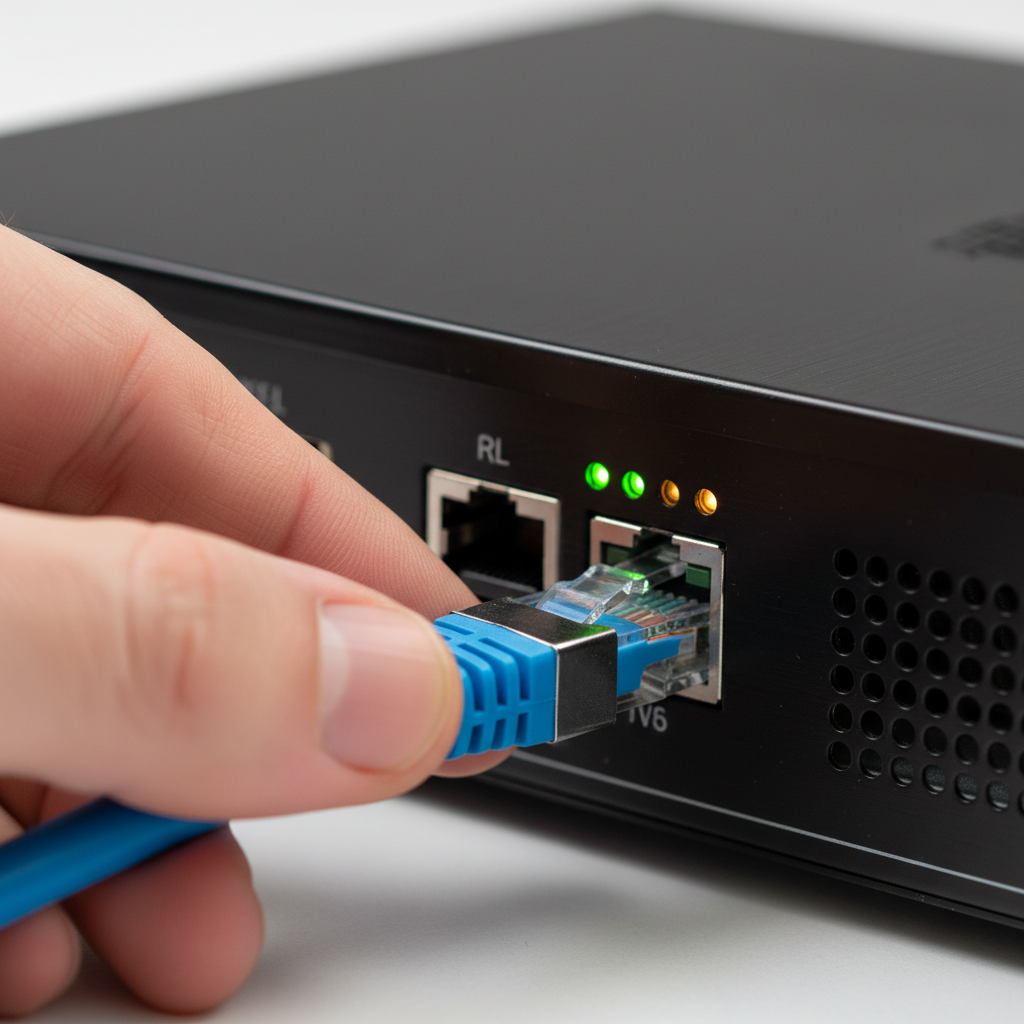
Why a network video recorder matters
The NVR determines your system’s reliability, video clarity, and retention. A well‑matched recorder prevents dropped frames, preserves 4K detail, and keeps weeks of footage. With smart alerts and remote access configured correctly, it also reduces your time spent hunting for events.
Why does this matter? Because your recorder controls the essentials: power budgets, bandwidth ceilings, and storage health. When those are sized right, your cameras simply perform better—especially at night or in bad weather. It’s not just about “having cameras”; it’s about recovering clear evidence, quickly.
- Reliability: Dedicated NVR hardware avoids the instability of DIY PC builds. Surveillance-rated drives are tested for 24/7 write cycles.
- Video quality: 4K at 15–30 FPS needs sustained throughput; under‑spec’d NVRs may cap bitrate, softening details like faces or plates.
- Retention: Proper drive sizing (in TB) and smart recording modes maintain 14–45 days of searchable history for most small sites.
- Ease of use: HDMI output, web UI, and mobile apps streamline daily checks, clip exports, and user permissions.
In our experience, upgrading older DVRs to IP NVRs immediately reduces blind spots because you can run higher‑resolution cameras and smarter analytics on the same cable run (PoE). That’s why many facility managers prioritize the recorder during modernization projects.
How a Hikvision NVR works (power, networking, recording)
A Hikvision NVR powers PoE cameras, negotiates video streams over the LAN, and writes footage to hard drives. Cameras send compressed video (H.264/H.265) at a set bitrate. The NVR indexes clips by time and event so you can search, bookmark, and export evidence fast.
Here’s the high‑level flow:
- PoE power: Many units include 4–16 PoE ports. Typical cameras draw 5–12W; PTZ and dual‑lens models may need more. Check the NVR’s PoE budget.
- Network negotiation: Cameras and NVRs discover each other via ONVIF or vendor protocols. Static IPs simplify long‑term management.
- Video encoding: Most streams use H.264/H.265 at 8–12 Mbps for 4K, or 2–6 Mbps for 1080p, adjustable per scene complexity.
- Recording modes: Continuous, motion, or smart‑event recording (person/vehicle) to save space while keeping the important moments.
- Storage and health: Surveillance HDDs (e.g., 4–16 TB each) rotate writes 24/7. S.M.A.R.T. monitoring warns of drive wear.
- Access: HDMI for local live view, browser/PC client for admin, and mobile apps for alerts and playback.
Alpha9 Solutions often pairs PoE NVRs with Color Night Vision cameras and motorized varifocal lenses so you can zoom to exact angles without a ladder. When listen‑in audio is allowed on‑site, it can speed up incident review by giving context to a motion event.
Types of NVRs and alternatives
Pick between PoE NVRs (built‑in power), LAN‑only NVRs (use external PoE switches), or hybrid recorders that ingest both analog and IP. For older coax sites, hybrids accelerate upgrades; for new builds, PoE NVRs simplify cabling and power budgeting.
Common NVR categories
- Embedded PoE NVR: 4/8/16 built‑in PoE ports; clean for small to mid‑size sites. One box to mount, one UPS to protect.
- Non‑PoE NVR: Uses external PoE switch(es). More flexible when you need long runs, VLANs, or higher total PoE budget.
- Hybrid DVR/NVR: Accepts both coax analog inputs and IP streams. Great for step‑by‑step modernizations without re‑wiring everything.
Comparison at a glance
| Recorder Type | Best For | Pros | Considerations |
|---|---|---|---|
| PoE NVR | New installs, small/medium sites | Simple cabling; unified power; quick setup | Limited PoE budget; port count caps cameras |
| Non‑PoE NVR | Advanced networks, long cable runs | Flexible switching; easier expansion | More hardware pieces; plan VLANs/UPS |
| Hybrid DVR/NVR | Upgrading analog to IP over time | Reuse coax; add IP in phases | Interface complexity; plan storage carefully |
If you want to explore recorder options, browse our NVR recorders collection to see models and typical channel configurations. Alpha9 Solutions stocks units that pair cleanly with 4K IP cameras, panoramic view cameras, and turret or dome form factors.
Storage and retention math you can trust
Estimate days of storage by multiplying bitrate (Mbps) by hours, cameras, and days—then converting to terabytes. Lower FPS or smart‑event recording can extend retention 2–4x without visibly hurting clarity for most scenes.
Use this quick method:
- Pick a baseline bitrate per camera. Many 4K streams run 8 Mbps at 15 FPS; busy scenes may require 10–12 Mbps.
- Multiply: Mbps × 3600 × hours/day × days × cameras ÷ 8 ÷ 1,000,000 ≈ TB.
- Subtract ~10–15% for file system overhead and health checks.
Example: Eight 4K cameras at 8 Mbps, 24/7 for 21 days → 8 × 8 × 3600 × 24 × 21 ÷ 8 ÷ 1,000,000 ≈ 4.6 TB usable. With motion‑only recording, we routinely see 2–3x longer retention for offices and light industrial sites. Dual‑drive NVRs let you mirror (RAID 1) or span (JBOD) depending on your risk tolerance and evidence needs.
For deeper background on choosing your recorder class, see our NVR guide for 2026 where we break down bitrates and drive classes by environment type.
How to set up a Hikvision NVR (field-tested)
Set static IPs, update firmware, and secure admin credentials first. Then connect PoE cameras, align time sync (NTP), enable smart events, and verify remote access. Finish with user roles, storage tests, and a one‑page recovery plan.
Pre‑deployment checklist
- Unbox, inspect, and install surveillance‑rated HDDs. Label bays and drives for serviceability.
- Bench‑test with one camera before mounting anything. Confirm live view and recording.
- Assign a static IP on your LAN and reserve it in DHCP.
- Update to the latest stable firmware for the NVR and cameras.
- Set time/NTP and your local timezone; mismatched clocks break evidence timelines.
PoE wiring and discovery
- Use Cat6 or better; keep bends gentle; avoid sharing conduits with high‑voltage lines.
- Plug cameras into PoE ports or a managed PoE switch. Watch PoE budget—PTZs can draw 20W+.
- Use ONVIF discovery to add third‑party cameras; assign friendly names and static addresses.
- Set video to H.265 where supported; start at 8–10 Mbps for 4K and tune by scene.
Smart detection and alerts
- Enable person/vehicle detection to reduce false alarms from shadows or foliage.
- Use intrusion zones or line crossing for entry points. Keep zones tight.
- Throttle push notifications; keep email alerts for high‑priority events only.
Need a visual walkthrough? Our CCTV systems explained article outlines how cameras, PoE switches, and recorders play together on a small business network.
Security hardening best practices
Harden your Hikvision NVR by changing defaults, using unique admin credentials, segmenting cameras on a VLAN, and restricting remote access. Add 2FA where available and keep backups of configs and critical clips.
In our field work, the most common gaps are unchanged passwords and open ports. Here’s the playbook we follow on service calls:
- Accounts: Create unique admin credentials; give users least‑privilege roles. Rotate passwords twice a year.
- Network: Put cameras on a surveillance VLAN; block outbound traffic the cameras don’t need. Disable UPnP on routers.
- Remote access: Prefer VPN or vendor‑secured cloud relay. Avoid raw port forwarding to the NVR.
- Firmware hygiene: Schedule maintenance windows for updates; document versions and rollback plans.
- Backups: Export NVR configuration after setup changes and store it in a password manager or secure drive.
- Evidence handling: Auto‑export critical clips to a NAS folder for redundancy, especially for HR or safety incidents.
For examples of modern analytics that pair well with recorder hardening, skim this overview of AI‑powered security features and think about which alerts truly matter for your site.
Camera compatibility and ONVIF
Most Hikvision NVRs support ONVIF, enabling cross‑brand camera integration. Matching firmware, codecs, and profiles (S/T) makes third‑party streams behave reliably. When possible, stay within one ecosystem for smoother smart events and firmware cadence.
Alpha9 Solutions often integrates mixed fleets—dome cameras for public‑facing areas, bullet cameras for long sightlines, and turret cameras for soffits—with a single NVR. We map each camera to a descriptive name, set static IPs, and keep a spreadsheet of MAC, IP, and location. That one habit cuts troubleshooting time by half on return visits.
Want a broader intro before you plan a mixed fleet? Read our home camera guide for pros and cons of common form factors and mounting tips that survive Midwest winters and hot summers.
Performance tuning for clear video
Tune clarity by setting realistic FPS, adequate bitrate, and the right shutter/IR settings for each scene. Use test walks at night and in rain to validate plates and faces. Small gains at the camera level pay off massively in playback.
- FPS vs. bitrate: 15 FPS often looks natural while halving storage versus 30 FPS. For vehicles, keep 20–30 FPS at choke points.
- Bitrate targets: Start 4K at 8–10 Mbps; 1080p at 3–5 Mbps. Raise only if motion looks blocky.
- IR and color: Color Night Vision helps identify clothing and vehicles. Lock exposure to prevent pulsing under headlights.
- Varifocal zoom: Motorized varifocal lenses let you frame doors to 6–8 feet wide—often the sweet spot for faces.
- Audio: Listen‑in audio, where permitted, clarifies context and reduces time spent scrubbing timelines.
For a sense of what higher‑end recorders support, this 32‑camera‑capable 4K NVR showcases channel capacity, integrated PoE, and surveillance‑ready storage—all in one chassis. Use it as a benchmark for expansion plans.
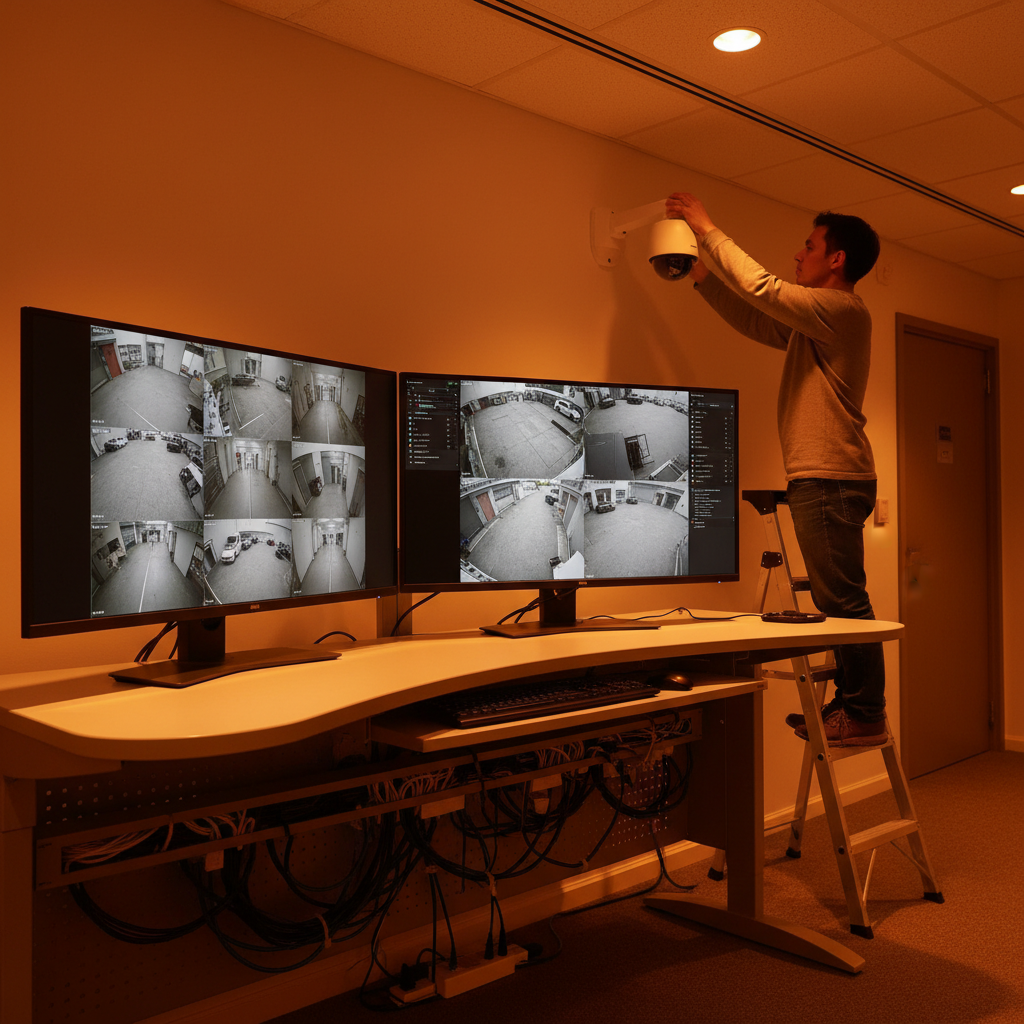
Maintenance and troubleshooting (what pros check first)
Check power, cabling, and link lights first. Then verify IP addressing, PoE budget, and camera stream health. Keep spare PoE injectors and a known‑good patch cable—those two items solve a surprising number of calls.
- No video? Confirm the port link LED. Swap to a known‑good patch; test another PoE port.
- Choppy playback? Lower FPS to 15 and set CBR bitrate. Check if other network traffic is saturating the uplink.
- Clock drift? Fix NTP and time zone. Reindex database if timelines misalign.
- Storage full too soon? Audit bitrates. Motion‑only or smart events can extend retention 2–4x.
- Lost admin password? Use the documented recovery procedure and restore last‑known‑good config.
When you need a refresher on recorder choices during a maintenance cycle, our CCTV video recorder guide gives a quick decision tree for PoE vs. hybrid vs. non‑PoE.
Real examples and use cases
For homes, small shops, and light industrial sites, a well‑tuned NVR gives searchable, high‑quality evidence. The right mix of 4K, Color Night Vision, and smart motion analytics reduces blind spots and busywork for owners and managers.
- Homeowner: Four 4K turret cameras on soffits into an 8‑channel PoE NVR. Result: clear faces at 12–15 feet and 30+ days of motion‑only history.
- Retail: Eight cameras on doors, registers, and back room with person detection. Result: cut false alerts by ~70% and simplify staff incident reviews.
- Industrial: PTZ on the yard and varifocal bullet on the gate. Result: readable plates at night, faster resolution of after‑hours activity.
For more camera planning context (angles, heights, and lens choices), our home CCTV systems primer explains how to frame entryways and driveways for reliable identification rather than just “awareness.”
When to upgrade or expand
Upgrade your NVR when you run out of PoE budget, channels, or storage—and when analytics or higher resolution would materially improve outcomes. Expansion is smoothest when you’ve documented IPs, names, and cable paths from day one.
- Signs you’ve outgrown it: Maxed channels, constant storage alerts, or bitrates set so low that details smear during motion.
- Easy wins: Add a managed PoE switch, move to H.265, and increase HDD capacity. Test gains with a two‑camera pilot.
- Strategic leap: Step up to a higher‑class NVR with more throughput and analytics if you’re adding 4K or multi‑sensor cameras.
To see how recorders scale across small, medium, and larger deployments, skim our video surveillance system guide for planning considerations.
Local considerations for your area
- Seasonal swings can be significant; test Color Night Vision and IR at dusk and after rainfall to confirm clarity on sidewalks and driveways.
- Holiday rush hours increase foot and vehicle traffic; schedule extra storage headroom and tune person/vehicle analytics in November and June.
- For mixed residential–commercial zones, segment cameras on a VLAN and set different user roles for family, staff, and vendors.
Need hands-on help? Alpha9 Solutions installs, configures, and supports NVR systems with minimal disruption. Start with our NVR setup guide and reach out if you want a pro to double‑check your plan.
Tools and resources
Have the right tools ready: cable tester, PoE budget calculator, ladder safety gear, and a laptop with the NVR’s discovery utility. Keep a printed network map, a labeler, and a USB drive for quick firmware loads and clip exports.
- Networking: Managed PoE switch (if using non‑PoE NVR), Cat6 cabling, patch panel, and keystones.
- Testing: Basic continuity tester, tone generator, and a handheld monitor for quick aiming.
- Storage: Surveillance‑rated HDDs (4–16 TB each); consider two drives to mirror or span.
- Documentation: IP spreadsheet, cable labels, and QR codes on the NVR for the admin URL.
- Reference: Our CCTV surveillance overview summarizes camera placement rules of thumb.
Ready to browse options? Start with our curated NVR recorders for channel counts that pair with common 4K camera bundles.
Frequently Asked Questions
These are the most common Hikvision NVR questions we answer for homeowners, small business owners, and facility managers. Each answer is short and direct so you can act quickly.
Will a Hikvision NVR work with third‑party IP cameras?
Usually yes via ONVIF profiles. You’ll get basic video and motion. Advanced analytics may require cameras from the same ecosystem. We recommend testing one camera first and matching codec, resolution, and frame rate for stability.
How many days of video should I retain?
Most homes target 14–30 days; small businesses often aim for 30–45 days, especially for HR and safety events. Use motion or smart‑event recording to extend retention without sacrificing clarity.
Is 4K at 30 FPS necessary?
Not everywhere. We commonly run 15–20 FPS for general areas and reserve 25–30 FPS for doors, registers, and vehicle choke points. That balance keeps storage reasonable while preserving detail where it matters most.
What’s the quickest way to cut false alerts?
Enable person/vehicle detection, tighten intrusion zones, and lower sensitivity during windy hours. Set quiet hours for push notifications and keep email alerts for critical events only.
Key takeaways
Choose a recorder that matches your cameras, bandwidth, and storage goals. Configure it once, document everything, and harden access. Those three choices deliver clearer video, faster finds, and fewer headaches year‑round.
- Right‑size channels, PoE budget, and HDD capacity from day one.
- Favor H.265, 15–20 FPS, and smart‑event recording to stretch retention.
- Segment cameras on a VLAN and avoid raw port forwards.
- Document IPs, names, and cable paths—future you will thank you.
- Pilot changes with one camera before rolling site‑wide.
Conclusion
A Hikvision NVR can anchor a reliable, high‑clarity security system when you size storage correctly, tune streams, and secure access. With a clean plan and the right tools, most homes and small businesses can deploy confidently—then expand without re‑doing the foundation.
Alpha9 Solutions blends pro installation with a curated storefront so you can choose confidently and get help when you need it. If you want a second set of eyes on your plan—or a technician to handle cable runs and setup—reach out and we’ll guide you from first camera to final export.

CCTV Setup: Protect Your Home and Save Money in 2026

Commercial Wiring Best Practices: Safer Work in 2026

Residential Electrical Help: Save Energy and Stay Safe (2026)
