


NVR storage planning is the process of estimating how much on-prem disk capacity, sustained write throughput, and redundancy a network video recorder needs to reliably store surveillance video for a required retention period. Proper planning prevents dropped frames, lost evidence, unexpected replacement costs, and running out of usable space during an investigation. As organizations move from 1080p to 4K or add analytics, storage demands grow quickly, so plan storage before camera procurement to protect budgets and evidence quality Seagate on NVR storage and consult a vendor or installer early, such as Alpha9 Solutions.
Which technical factors most change required storage
Resolution and frame rate
Higher resolution and higher frames per second increase the raw amount of data each camera produces. Increasing resolution or frame rate raises bitrate substantially, which multiplies across camera count and directly increases required terabytes.
Codec and bitrate
The video codec and encoded bitrate are the single most important variables for storage. Modern codecs such as H.265 typically reduce required disk compared with H.264 at similar visual quality. For an auditable estimate use the expected average bitrate per camera rather than nominal resolution alone, because bitrate is the value that converts into bytes written to disk How to calculate NVR recording capacity.
Camera count and coverage plan
Each additional camera multiplies storage needs. Finalize counts, lens fields of view, and whether some cameras can record at lower settings or on event-only schedules before procurement.
Recording schedule: continuous versus event
Continuous recording writes every frame and fills disk the fastest. Event or motion-triggered recording can reduce storage substantially, but actual savings depend on motion frequency and false triggers. Test and tune motion sensitivity to realize savings without losing important events Eufy on recording modes.
Retention policy and legal or operational requirements
Retention days are often the largest driver of TB needs. Decide minimum retention for typical incidents and maximum retention for forensic requests before sizing. Planning retention up front avoids midlife disk expansion projects.
Analytics, AI, and metadata
Analytics such as object detection or license plate capture can increase effective storage needs through higher bitrates, longer clip retention, or additional archival streams. Factor analytics growth into capacity planning to avoid repeated upgrades.
An auditable step-by-step calculation you can use before buying
Required inputs checklist
- Camera count and identifier list.
- Expected average bitrate per camera (Mbps), or codec and target quality.
- Recording schedule: hours per day per camera.
- Retention days.
- Desired operational headroom percentage and RAID topology.
Formula flow: bitrate to required TB
Follow these steps and record every assumption so your estimate is auditable, repeatable, and defensible. Document codec, average bitrate, and whether you use binary (1024-based) or decimal TB math NexPro-Link CCTV storage calculation.
- Convert bitrate to bytes per second: bytes/sec = Mbps × 125,000.
- Compute bytes per hour: bytes/hour = bytes/sec × 3,600.
- Compute bytes per day per camera: bytes/day = bytes/hour × recording hours per day.
- Multiply by camera count: total bytes/day = bytes/day × number of cameras.
- Multiply by retention days: total bytes = total bytes/day × retention days.
- Convert to terabytes: TB = total bytes / 1,099,511,627,776 for binary TB, or divide by 1,000,000,000,000 for decimal TB. State which you use in the spec.
- Apply usable capacity after RAID: usable TB depends on RAID level and drive layout, so show the usable capacity calculation in the procurement spec.
- Add operational headroom: add a percentage to cover growth, temporary spikes, and drive rebuild overhead.
Illustrative numeric example
Replace each input with your measured or vendor values. Example assumptions: one camera at 4 Mbps average, recording 24 hours, retention 30 days. Convert 4 Mbps: 4 × 125,000 = 500,000 bytes/sec. Bytes/hour = 500,000 × 3,600 = 1,800,000,000. Bytes/day = 1,800,000,000 × 24 = 43,200,000,000. For 30 days: 1,296,000,000,000 bytes ≈ 1.18 TB (decimal). For multiple cameras, multiply by camera count, then apply RAID reduction and add headroom. This demonstrates how per-camera bitrate drives the final TB figure; do not use example numbers in procurement without replacing the assumptions.
For worksheet tools, validate manual results with published calculators. See the Eufy and HomeTechOps calculators for quick checks Eufy NVR storage calculator and HomeTechOps NVR storage calculator. For codec and schedule guidance consult D-Link's bandwidth and storage help D-Link bandwidth and storage help.
Recording modes: continuous versus event and the storage impact
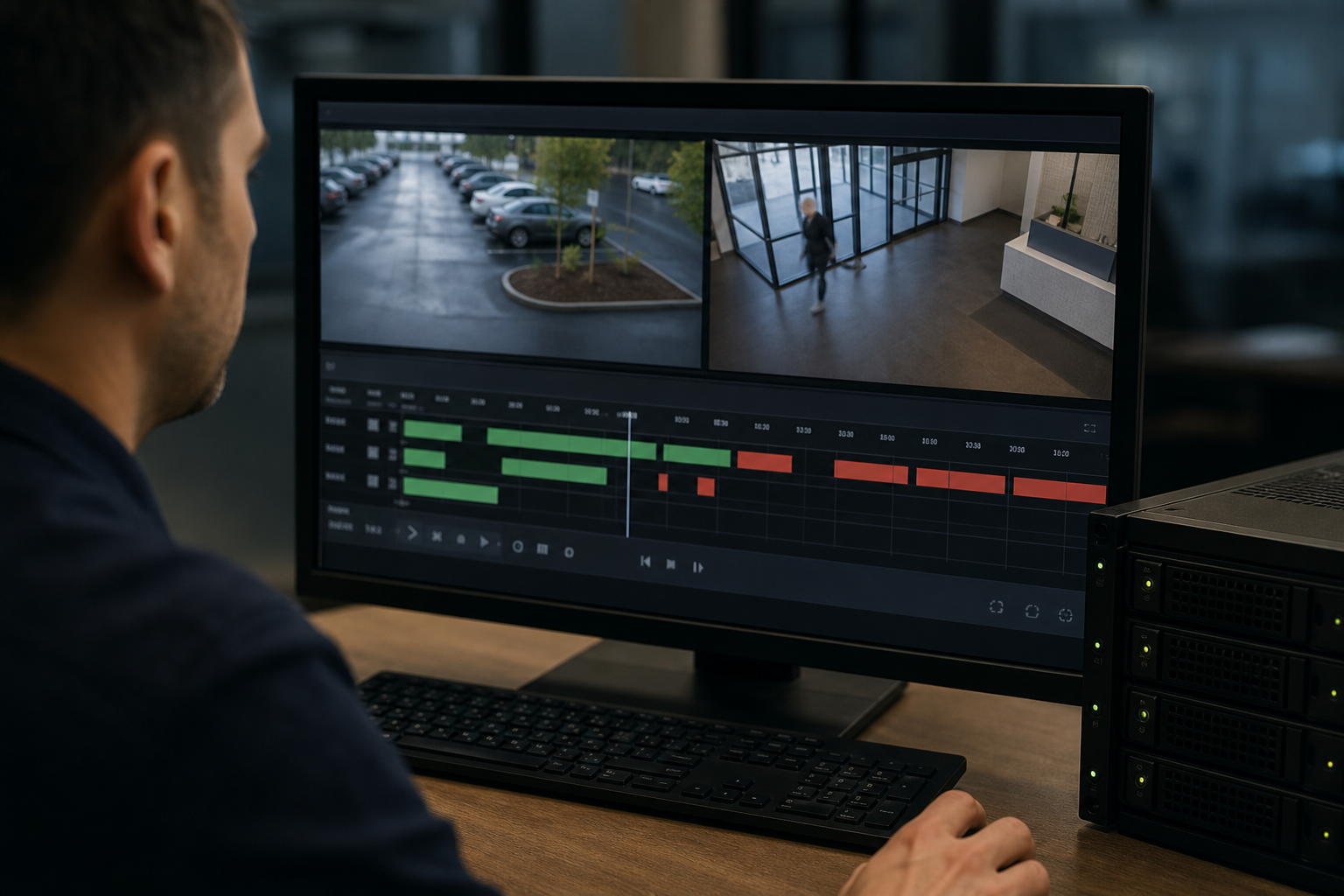
Continuous recording is simple and predictable, writing every frame. Event recording writes only when a motion or analytics trigger occurs and can reduce storage needs substantially in low-activity scenes. The tradeoff is complexity: you must tune detection to avoid missed events and to limit false positives, which otherwise inflate storage. Pilot a deployment and measure actual event rates to estimate real savings before committing to a retention policy Eufy on recording modes.
Redundancy, RAID, drive selection, and bay count
Usable capacity and RAID choices
Raw drive capacity does not equal usable NVR capacity. RAID choices change usable TB and failure tolerance. Document the chosen RAID level and compute usable capacity explicitly in procurement. NexPro recommends validating RAID behavior and usable capacity for the recorder and drives you select NexPro-Link on storage planning.
Surveillance class versus enterprise drives
Surveillance drives are tuned for sequential writes and continuous workloads. Enterprise drives may offer higher endurance and warranty but cost more. Use drives recommended by the NVR vendor and validate workload suitability for your expected sustained write rate and recovery profile Seagate on drive selection.
Bay count and spare capacity
Ensure the recorder has enough bays to host the drives implied by your usable capacity plus spares for rebuilds. Keep at least one spare bay or a hot-spare drive to simplify maintenance and reduce rebuild windows.
Scaling limits beyond disk: throughput, network, and viewing load

Disk TB is only one of five resources to size. If you increase disk but do not validate recorder write throughput, network bandwidth, client decode capacity, power, or management plane limits, the system can still drop frames or fail under load. ForaSoft documents that recording throughput, storage, network and power, viewing client decode, and the management plane each hit limits at different scale points, so plan all five and test them in a pilot environment ForaSoft on scaling.
Decision checklist and practical next steps
- Run the auditable calculation with measured or vendor bitrates, not nominal resolutions.
- Choose RAID and compute usable TB in the procurement spec; document assumptions and binary versus decimal TB math.
- Validate recorder drive compatibility, bay count, and sustained write throughput with the vendor or NVR guide nvr network video recorder guide.
- Pilot the chosen recording mode and measure actual event rates to confirm storage savings from event recording.
- Plan headroom for growth, analytics, and temporary spikes; schedule periodic reviews of storage utilization.
- If you prefer professional help, request an on-site assessment and free estimate to gather exact bitrates and recorder limits from Alpha9 Solutions Alpha9 Solutions.
Frequently asked questions
How much operational headroom should I add when sizing NVR storage?
Typical practice is to add a conservative percentage for growth, rebuild overhead, and temporary spikes. Document the chosen percentage and rationale in the procurement record and validate with the recorder vendor. NexPro recommends explicit headroom and documented assumptions rather than hidden safety factors NexPro-Link.
Will switching from H.264 to H.265 dramatically reduce my NVR storage needs?
H.265 generally reduces bitrate at the same visual quality, lowering storage. Real savings depend on camera models, scene complexity, and NVR compatibility. Measure expected average bitrate with the chosen codec and use that value in the calculation capacity calculation guidance.
How does motion detection change the storage calculation for each camera?
Motion detection changes recording hours per day for each camera. Replace continuous hours with expected average daily recorded hours after tuning detection and calculate storage from that adjusted figure. Pilot testing converts theoretical savings into reliable estimates Eufy.
Can I mix different drive sizes and models inside one NVR?
Mixing drives is possible in some recorders but is not recommended without vendor approval because rebuild times, performance, and failure profiles differ. Always validate drive compatibility and RAID behavior for the specific recorder and workload NexPro-Link.
When should I consider SAN, NAS, or a VMS instead of a single on-prem NVR?
If you expect large camera counts, heavy analytics, multi-site aggregation, or need flexible retention tiers and offsite replication, consider shared storage or a VMS. ForaSoft explains when scaling beyond a single recorder becomes necessary and how to plan the five resources that matter ForaSoft scaling guidance.
If you need help turning these calculations into a procurement spec or a tested pilot, Alpha9 Solutions can perform an on-site assessment and provide a free estimate to capture real bitrates, recorder limits, and drive recommendations. Contact Alpha9 Solutions at their website for a free estimate Alpha9 Solutions.


