


A CCTV security system is a private network of cameras, recorders, and secure apps that captures and stores video for safety, loss prevention, and compliance. Systems can record 24/7 or on motion, with remote viewing on phones or desktops. From our Kingston location at 937 Gallaher Rd, we deploy reliable solutions across Roane County.
By Aayush Patel — Alpha9 Electric
Last updated: 2026-05-24
Overview and Table of Contents
This complete guide explains what a CCTV security system is, why it matters for homes and businesses, how it works, which types to choose, and the best practices we follow in Kingston and Roane County. You’ll see tools we trust, real Tennessee examples, and a clear, step-by-step path to installation.
- What a CCTV security system is—in plain English
- Why CCTV matters for homes, retail, hotels, fuel stations, and plants
- How it works: cameras, networking, NVR/DVR, cloud, and apps
- Types of systems and cameras, with a quick comparison table
- Design and installation best practices for code and clarity
- Tools, standards, and resources we use in the field
- Real Tennessee case examples and practical takeaways
- FAQ and next steps to get your plan moving
What Is a CCTV Security System?
A CCTV security system is a closed video network that sends camera feeds to authorized recorders, monitors, or mobile apps—never to public broadcast. Today’s systems blend IP cameras, secure NVRs, and cloud tools to deter theft, document incidents, and improve safety and operations at home and at work.
In practical terms, CCTV is a set of “smart eyes” pointed at locations that matter: entries, cash wraps, parking lots, docks, and driveways. Footage is stored on a local NVR/DVR or in the cloud, and you can review clips, export evidence, and receive alerts. Because Alpha9 Electric also installs access control and alarm integration, we deliver a single, manageable safety stack rather than a patchwork of vendors.
For our residential clients, that might mean front-door, driveway, and side-gate coverage with privacy-respecting angles. For commercial sites, it often includes POS views, back-of-house doors, and parking areas. For industrial plants, we add ruggedized housings and careful placement around production lines, docks, and MCC rooms.
Why CCTV Matters for Homes and Businesses
A well-planned CCTV security system deters opportunistic theft, documents incidents clearly, and speeds response. High-quality footage supports investigations, reduces downtime, and strengthens a culture of safety. For homeowners, it offers peace of mind and remote awareness of arrivals, deliveries, and unusual activity.
Here’s the thing—video can move conversations from “we think” to “we know.” We frequently see three core benefits:
- Visible deterrence: Cameras and signage reduce casual crime and unwanted behavior.
- Objective evidence: Clear angles and proper retention convert moments into usable clips.
- Operational awareness: Managers, homeowners, and facilities teams see what matters in real time.
Take a small retailer we support near Kingston. After repositioning two cameras and enabling smart notifications, they quickly identified a recurring issue at a back door. For a hotel client, coverage at the porte-cochère and elevator lobbies helped confirm response steps during a late-night incident. And for homeowners, driveway and porch views have resolved everything from package disputes to wildlife mischief.
How a CCTV System Works (Cameras, Power, Storage, and Access)
CCTV captures video at the camera, transmits it via cable or Wi‑Fi, and stores it on an NVR/DVR or secure cloud. Users view live and recorded footage through local monitors or apps. Power comes through PoE (802.3af/at/bt) or dedicated adapters; retention is tuned for days to months.
Key building blocks we design and install every week:
- Cameras: Dome, bullet, turret, PTZ, and fisheye. Common resolutions: 1080p, 4MP, 5MP, and 4K. Typical frame rates: 15–30 fps depending on scene detail.
- Connectivity: PoE over Cat6 is the go-to for reliability and bandwidth; HD-over-coax or Wi‑Fi fills retrofit or temporary needs.
- Recording: NVRs (for IP) and DVRs (for coax). Recording modes include continuous, motion-triggered, and scheduled to balance retention and storage.
- Storage: HDDs/SSDs sized for 15–90+ days based on bitrate, compression (H.265/H.265+), and camera count.
- Access: On-prem monitors for immediate viewing, plus secure apps with multi-factor authentication (MFA) for mobile access.
We also plan for network hygiene: VLAN segmentation for cameras, DHCP reservations for predictable addresses, and TLS for remote viewing. On the electrical side, we protect PoE switches and NVRs with UPS and surge protection to ride through power disruptions—standard practice for our licensed electricians.
Types of Systems and Cameras (Choose What Fits)
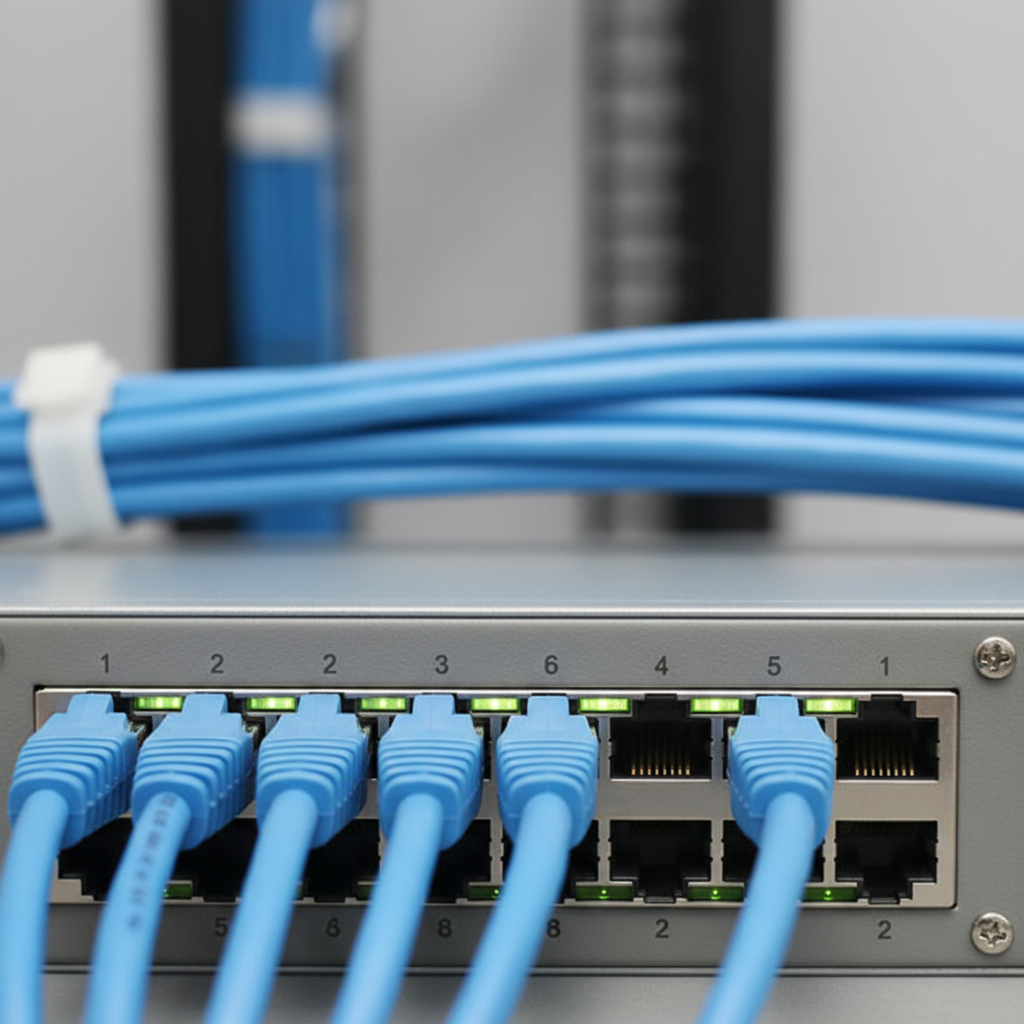
Most projects select among IP PoE, wireless Wi‑Fi, HD-over-coax, or cloud-managed video. The right choice depends on building size, network quality, desired image detail, and retention targets. Camera shapes—dome, bullet, turret, PTZ, fisheye—match specific scenes, distances, and lighting.
- IP PoE (Cat6): Flexible and scalable; single cable for power+data; supports 802.3af (~15.4W), 802.3at (~30W), and 802.3bt (up to 60–90W) for heaters/IR or PTZs.
- Wireless Wi‑Fi: Fast to deploy; depends on RF quality; plan for 2.4/5 GHz coverage, interference, and powering the camera.
- HD-over-Coax (TVI/CVI/AHD): Solid retrofit using existing coax; typically paired with DVRs.
- Cloud-managed video: Simplifies remote access and updates; relies on stable upstream bandwidth for multi-camera sites.
-
Camera form factors:
- Turret: Great glare control and clean night images at entries.
- Dome: Vandal-resistant cover; blends into ceilings.
- Bullet: Strong for longer distances and visible deterrence.
- PTZ: Optical zoom with patrol presets for wider lots.
- Fisheye 360°: Panoramic coverage in lobbies or warehouses.
| Approach | Pros | Considerations | Best For |
|---|---|---|---|
| IP PoE | High resolution; scalable; single-cable simplicity | Switch power budget; VLAN design; Cat6 runs | New builds, pro upgrades |
| Wireless | Quick to install; flexible placement | Signal reliability; camera power; interference | Small homes, temporary sites |
| HD-over-Coax | Reuse existing coax; dependable quality | Less flexible than IP; DVR management | Retrofits |
| Cloud | Easy remote access; auto updates | Internet dependency; bandwidth planning | Multi-site visibility |
Not sure which way to go? Our team compares network conditions, cable pathways, and scene requirements during a site walk. That’s also when we identify mounting heights, backlight risks, and whether IR or supplemental lighting is required. We outline options and trade-offs before we ever pull a cable.
Best Practices for Design, Installation, and Compliance
Design for coverage, clarity, and continuity: capture faces and plates, size storage for 30–90 days, harden the network, and document signage and user access. For properties near 937 Gallaher Rd and across Roane County, we follow NEC/low-voltage codes, label every run, and test day/night scenes before handoff.
Design and placement
- Mounting height: 8–12 ft for entries and interiors; higher for lots to widen coverage while preserving face detail.
- Angles over aesthetics: Avoid backlighting; use 2.8–4 mm lenses for doorways; longer lenses for lanes and parking rows.
- IR and lighting: When lux drops, add IR-enabled cameras or low-glare supplemental lighting to maintain usable footage.
Retention and reliability
- Retention targets: Many businesses plan for 30–90 days; sensitive areas may require more based on policy.
- Power protection: UPS on NVR and PoE switch; surge protection on feeds; temperature-rated enclosures outdoors.
- Recording modes: Blend continuous and motion to balance clarity with storage.
Cybersecurity and access control
- Hardened credentials: Unique admin accounts; disable defaults; MFA for remote users.
- Network segmentation: Isolate cameras on a VLAN; restrict outbound access; use TLS and modern ciphers.
- Audit trails: Log exports and views; apply least-privilege roles for managers vs. viewers.
Local considerations for 937 Gallaher Rd
- Seasonal storms in Kingston can trigger power events—prioritize UPS and surge protection for NVRs and PoE switches to avoid footage gaps.
- Holiday travel peaks and Friday night traffic in Roane County mean more activity around entries and lots—review schedules and analytics thresholds quarterly.
- Coordinate with your AHJ for signage expectations and ensure camera views respect privacy (no neighbor windows) in residential zones.
As licensed, bonded, and insured electricians, our crew builds to code and to context. We also provide documentation: camera maps, IP plans, retention policy, and user guides. That paperwork speeds onboarding and proves compliance to insurers, franchisors, or auditors.
Free site walk-through: Want a clear plan for your property? We’ll map coverage, estimate retention, and outline wiring and mounting—then you decide. Book a no‑obligation assessment.
Tools, Standards, and Resources We Trust
Use structured cabling (Cat6), PoE switches sized for wattage, and standards-based settings (802.3af/at/bt, ONVIF). Document your IP plan, retention targets, and roles. For deeper background, we reference practical field guides and vendor-agnostic best practices for installation and hardening.
- PoE power budget: Add camera nameplate watts, then 20–30% headroom. Budget for IR, heaters, and PTZ load on 802.3bt when needed.
- Network planning: VLANs for cameras, QoS for video, DHCP reservations, and secure remote connectivity (TLS + MFA).
- Compression settings: H.265/H.265+ with variable bitrate (VBR) saves storage while preserving detail in busy scenes.
- Documentation: Label cables and ports (1–48), maintain a camera-by-camera IP sheet, and keep a service log.
For practical installation tips on layout and mounting, see this concise CCTV installation guide. To brush up on core concepts in plain language, this systems explained overview is a helpful starting point; and multi-site operators often benefit from a commercial CCTV guide that focuses on policy, permissions, and retention.
Our Installation Process: From Walkthrough to Sign‑Off
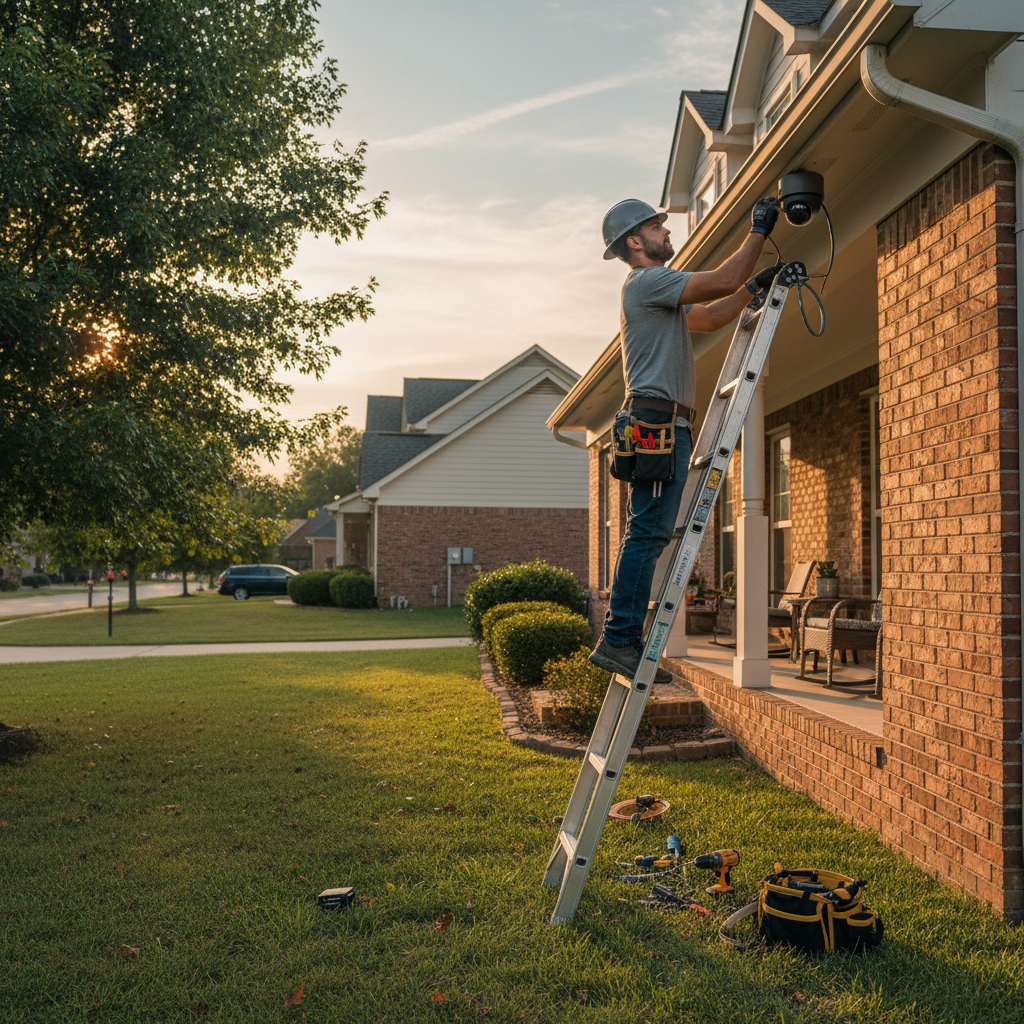
We plan, install, and validate in a clear sequence: discovery, design, pre-wire, device install, network hardening, testing, training, and documentation. Each step reduces risk, ensures code compliance, and delivers reliable footage on day one—and over the long haul.
- Discovery: Coverage goals, retention needs, privacy constraints, and integration points (access control, alarms).
- Design: Camera map, lens selection, mounting details, PoE budget, VLAN layout, UPS sizing.
- Pre‑wire: Pull Cat6/coax, label both ends, verify continuity and distance with testers.
- Install: Mount cameras (8–12 ft typical), terminate terminations cleanly, rack NVR and PoE switch.
- Harden: Set unique credentials, roles, TLS, and MFA; restrict outbound access.
- Test: Day/night checks, motion zones, bitrate tuning, and failover behavior on UPS.
- Train: Show live view, playback, export, and incident handling; assign permissions per role.
- Document: Provide camera map, IP list, retention policy, and quick-reference user guide.
Because Alpha9 Electric also handles panel work, lighting, and low-voltage cabling, we coordinate everything under one roof. That minimizes handoffs and speeds your timeline—especially useful for remodels, build-outs, and multi-site rollouts.
Integration: CCTV + Access Control + Alarms
Integrating CCTV with access control and alarms ties events to video, shortens response time, and strengthens investigations. We align door events, intrusion alerts, and camera bookmarks so teams can see what happened before, during, and after a trigger in seconds.
- Door readers + video: Link badge events to entry camera clips for instant verification.
- Alarms + video: When a zone trips, operators jump to the right camera view with a time-synced bookmark.
- Analytics + SOPs: Pair smart detection (loitering, line-cross) with procedures to reduce false positives.
This integrated approach is where our “single provider” model shines. We design the door hardware, the camera layout, and the alerting flow together—so you’re not troubleshooting across vendors in the middle of an incident.
Tennessee Case Examples (What Works Where)
From homes and restaurants to fuel stations and factories, we deploy CCTV configurations that fit each environment. Designs typically blend PoE cameras, NDAA-compliant hardware when required, entry-focused angles, and 30–90 days of retention—integrated with access control and alarms for a unified system.
- Retail & restaurants: POS and entry coverage with 2.8 mm turrets; back-door bullets; clean, labeled Cat6 runs. This aligns with our commercial electrical guidance on uptime and serviceability.
- Hotels: Lobbies, elevator cars and lobbies, stairwells, and parking. Balance visibility with guest privacy. We coordinate with management on signage and retention policy.
- Fuel stations: Pump canopies and forecourts with weather-rated housings; PTZ views for drive-offs. Our industrial wiring team ensures clean power and surge protection on canopies.
- Residential: Front door, driveway, and side gates; avoid neighbor windows and bedrooms. Smart notifications focus on people/vehicles—not pets or tree shadows.
- Industrial: Loading docks, production lines, and yards; ruggedized housings and cable protection. We document ties to PLC/automation where useful for event review.
To see the range of electrical and low‑voltage work we deliver, browse our project highlights. Many clients choose us because we integrate CCTV with custom power and control solutions, so the system runs cleanly from the panel to the last endpoint.
Common Mistakes to Avoid (And What To Do Instead)
The most common CCTV errors are poor camera placement, underpowered PoE, weak retention planning, and unsecured remote access. Fix them by mapping scenes, confirming switch headroom, sizing storage to policy, and enabling MFA with network segmentation.
- Too high, too wide: Mounting 20+ ft up shortchanges face detail. Keep entries at 8–12 ft and adjust lens focal length.
- Ignoring backlight: Glass behind subjects blows out detail. Angle across entries, or use WDR-enabled cameras.
- Thin PoE budgets: Add camera watts and IR/heater draw; include 20–30% headroom so ports don’t brown out.
- Default passwords: Change them. Then add unique roles, enable MFA, and restrict outbound connections.
- “Set and forget” retention: Verify bitrate, fps, and compression; confirm your storage actually delivers your target days.
If you’re deep in a remodel, save time with our CCTV installation checklist. It helps coordinate trades so low‑voltage drops and power land exactly where cameras and NVRs will live.
Maintenance, Monitoring, and Documentation
CCTV reliability depends on routine checks: lens cleaning, firmware updates, storage health, and alert testing. We schedule quarterly reviews, verify retention, and refresh user roles. Documentation—camera maps, IP lists, SOPs—keeps the system supportable for years.
- Quarterly tasks: Clean domes, check IR performance, validate motion zones, and test exports.
- Annual tasks: Review analytics thresholds, confirm signage, and audit user access with least privilege.
- Monitoring: Use health alerts for camera offline, disk SMART warnings, and storage thresholds.
- Serviceability: Keep labeled ports and cables; maintain a change log after every update or move.
Because we also provide 24/7 emergency electrical service, our team can respond when storms or outages impact your security stack. That’s one of the advantages of choosing a licensed Tennessee electrical contractor that owns both the power and the low‑voltage side.
Frequently Asked Questions
These quick answers address the most common CCTV questions we hear—from camera counts and PoE vs. Wi‑Fi to retention and legal basics. Use them to build your plan with confidence and speed.
How many cameras do I really need?
Start with entries, high‑traffic areas, cash points, and parking. Most homes begin with 3–6 cameras; small retailers often deploy 8–16. The right count depends on coverage goals, field of view, and the level of detail you need at each scene.
Is PoE better than Wi‑Fi for permanent installs?
Usually yes. PoE provides one cable for power and data, less interference, and simple VLAN segmentation. Wi‑Fi works when cabling is impractical, but plan carefully for signal strength, interference, and providing reliable power at the camera location.
How long should I retain video?
Many businesses target 30–90 days. Balance your policy with storage capacity, frame rate, resolution, and compression. Longer retention means larger drives or a mix of continuous and motion-based recording to preserve what matters most.
Can CCTV integrate with door access and alarms?
Yes. We link door events and alarm triggers to camera bookmarks so you can jump to the exact moment. That cuts response time and provides clear context for investigations and training.
Conclusion and Next Steps
Choosing the right CCTV security system comes down to coverage, clarity, and continuity. Map scenes, size storage to your policy, harden access, and verify day/night performance. With a licensed, single-provider partner, you get reliable footage on day one—and fewer headaches later.
Key takeaways
- Place cameras for faces and plates, not just “the room.”
- Budget PoE with headroom and protect power with UPS and surge.
- Set realistic retention (often 30–90 days) and validate it quarterly.
- Segment cameras on a VLAN; enable MFA for every remote user.
- Integrate doors and alarms so events jump to video instantly.
Ready to build a clear plan? Explore our services in Kingston, skim a few recent projects, or review our CCTV installation guide for installation-specific details. We’re based at 937 Gallaher Rd and serve homes, businesses, and industrial sites across Roane County and Tennessee.
Next step: Tell us your coverage goals and timeline. We’ll conduct a free, no‑obligation site walk and provide a clean, code‑compliant plan you can act on.


