


Home surveillance is the continuous monitoring of a residence using cameras, recorders, and secure apps to deter crime and capture evidence. Modern systems use IP cameras and NVRs for high‑resolution video and remote access. For homeowners in the local area, Alpha9 Solutions designs and installs reliable, low‑disruption setups that pair pro wiring with easy mobile viewing.
By Aayush Patel, CEO, Alpha9 Solutions
Last updated: 2026-06-04
Quick summary and table of contents
Choose a home surveillance system by matching risk areas, camera types, and storage needs to how you live. Wired IP cameras with PoE and an NVR deliver the most reliability, while Wi‑Fi cameras add flexibility. Plan placement, lighting, and network security first, then pick 4K models with smart detection and remote viewing.
This complete guide explains what home surveillance is, why it matters, how systems work, and how to choose components with confidence. You’ll see wired vs wireless trade‑offs, best‑practice placement, tooling, and real‑world examples from Alpha9 Solutions’ hybrid electrical and security practice.
- What is home surveillance?
- Why home surveillance matters
- How home surveillance works
- Types of systems and cameras
- Best practices and placement
- Tools and resources
- Case studies and examples
- Home surveillance FAQ
- Conclusion and next steps
What is home surveillance?
Home surveillance is a security approach that uses cameras, recorders, and secure networking to monitor key areas of a residence day and night. Modern IP systems capture 4K video, use PoE for power and data, and support remote viewing so you can check live feeds or recordings from anywhere.
At its core, home surveillance combines image capture, controlled storage, and simple access. Today’s systems rely on networked cameras (IP cameras) that send digital video to a Network Video Recorder (NVR) or secure cloud. The benefit is clarity, retention, and searchability—essential when you need details like faces, plates, or timelines.
- High‑resolution capture: 4K equals 3840 × 2160 (about 8 megapixels), enabling digital zoom without losing crucial detail.
- Always‑on coverage: Cameras with Color Night Vision and low‑light sensors maintain usable images after dark.
- Event intelligence: Smart motion detection reduces false alerts by focusing on people and vehicles rather than tree branches or shadows.
- Secure access: Encrypted logins and app controls let authorized users review footage and get notifications from anywhere.
Alpha9 Solutions is a hybrid electrical and security provider, so we plan surveillance as part of the home’s low‑voltage and power ecosystem. That means neat cable paths, proper junction boxes outside, wire concealment, and NVRs placed where cooling and power protection are handled correctly.
To deepen the basics before you continue, explore our internal primers like the video surveillance system guide and this practical CCTV systems explainer.
Why home surveillance matters
Home surveillance deters opportunistic crime, documents incidents in usable detail, and gives you instant visibility when you’re away. The right system also speeds investigations because 4K video preserves identifying details, while smart alerts surface the moments that matter.
Protection isn’t just about recording a break‑in. It’s also about daily reassurance. Real‑time notifications tell you who’s at the door. Remote viewing confirms a package arrived. Reliable retention preserves events for weeks or months, which is vital when timelines stretch.
- Deterrence: Visible cameras and security lighting reduce casual trespass. A clearly mounted turret or bullet unit near entries signals vigilance.
- Clarity for evidence: 4K/8MP sensors paired with 30 FPS provide smoother motion and more frames to analyze compared with lower frame rates.
- Coverage where it counts: Target front door, driveway, yard gates, and ground‑floor windows; most incidents involve these access points.
- Anytime access: Mobile apps provide live view and playback, with multi‑user permissions for family members.
In our experience installing residential and small‑business systems, the biggest lift comes from getting placement and lighting right. A single well‑placed 4K camera can outperform two poorly placed 1080p units. Good planning beats adding more cameras later.
If you’re comparing entry‑level options and pro builds, our walkthrough on home video security systems explains where it makes sense to choose PoE wiring, an NVR, and higher‑end optics from the start.
How home surveillance works
A home surveillance system connects IP cameras to an NVR or secure cloud over your network. With PoE, one Ethernet cable carries power and data up to 100 meters per run. The NVR stores video, manages streams, and provides remote access through encrypted apps.
Here’s the core workflow we implement for homeowners and facility managers:
- Capture: Fixed or varifocal IP cameras record at chosen resolution (e.g., 4K) and frame rate (e.g., 30 FPS).
- Transport: PoE (802.3af/at) powers cameras and moves data on a single Cat5e/Cat6 cable. Standard Ethernet segments are 100 meters (328 feet).
- Record: An NVR ingests streams, applies motion rules, and writes to surveillance‑grade drives sized for retention targets (e.g., 14–30+ days).
- Access: Encrypted mobile and desktop apps allow live view, playback, and smart alerts. Multi‑factor authentication is recommended.
- Notify: Smart motion detection for people/vehicles reduces noise and can trigger snapshots or push notifications.
Wi‑Fi cameras follow a similar path but use 2.4/5 GHz bands instead of Ethernet. That trades cabling for potential interference and battery/AC power concerns. For exterior coverage and continuous recording, PoE remains the most predictable choice in our field deployments.
Alpha9 Solutions pairs certified electrical work with modern IP cameras and NVRs. Tell us the zones you want covered—we’ll map clean cable paths, neat junction boxes, and a storage plan that fits your routine.
Request a quick assessment and start with a no‑pressure plan.
Types of systems and cameras
Most homes use either PoE‑wired IP cameras to an NVR or Wi‑Fi cameras to a cloud/NVR. Choose 4K models with Color Night Vision, smart detection, and remote apps. Form factors—bullet, dome, and turret—fit different mounts, while varifocal lenses fine‑tune field of view.
Because “home surveillance” can mean many builds, it helps to think in layers: system architecture, camera capabilities, and physical form factor. Below are the options we design with most often for homeowners.
System architectures
- PoE IP to NVR (wired): Our default for exterior coverage and 24/7 recording. Predictable bandwidth, reliable power, and simple cable management.
- Wi‑Fi IP to NVR/cloud (wireless‑leaning): Flexible indoors where power outlets exist and RF is stable; best for add‑on rooms, rentals, or quick projects.
- ePoE/extended runs: For long driveways or detached garages, extended‑reach PoE and extenders keep a single‑cable workflow tidy.
Camera capabilities
- 4K/8MP resolution: 3840 × 2160 pixels preserve detail for zoom. This is a meaningful upgrade over 1080p for plates and faces.
- Color Night Vision: Uses larger sensors and supplemental lighting to retain color after dark. Pair with security lighting for best results.
- Smart motion detection: Person/vehicle filtering cuts false alerts from wind, rain, and insects.
- Listen‑in audio: Microphones capture ambient sound where permitted; check local consent rules for audio.
- Motorized varifocal lenses: Remotely adjust focal length to frame gates, walkways, or the width of a driveway without climbing a ladder.
Form factors and where they shine
- Bullet camera: Highly visible, easy to aim, great for driveways and fence lines.
- Dome camera: Vandal‑resistant housings suit lower eaves and porches.
- Turret camera: Versatile, low‑glare design under soffits; a homeowner favorite for entries.
| Factor | PoE‑Wired IP + NVR | Wi‑Fi IP + NVR/Cloud |
|---|---|---|
| Power & data | Single Ethernet run; 802.3af/at PoE | AC or battery + Wi‑Fi radio |
| Max run per segment | 100 m / 328 ft (standard Ethernet) | N/A (RF range depends on obstacles) |
| Reliability | High; immune to RF interference | Variable; congestion and walls impact |
| Recording | Continuous 24/7 is straightforward | Often event‑driven to save bandwidth |
| Use case fit | Exterior and critical zones | Indoors, add‑ons, rentals |
Want a deeper dive into options? Our CCTV security system guide and CCTV for home security posts unpack these choices with more diagrams and examples.
Best practices and placement
Start with a zone plan: front door, driveway, side yard, and back yard. Mount 8–10 feet high, aim across approaches (not straight down), and avoid pointing through glass. Pair Color Night Vision with security lighting and use junction boxes and sealants to protect connections outdoors.
Placement that works in the real world
- Front door: One turret at 8–9 feet, angled to catch faces approaching and packages on the mat. Avoid tall top‑down angles.
- Driveway: A 4K bullet toward the street, slightly off‑axis to reduce headlight glare. Consider a second camera for a wide scene.
- Side and back: Cover gates and sliding doors with domes or turrets; aim across paths, not into neighbors’ windows.
Night performance tips
- Maintain color after dark: Add security lighting so Color Night Vision stays in color longer and reduces noise.
- IR reflections: Keep lenses away from glossy soffits and walls; turret housings usually minimize bounce‑back.
- Frame rate choices: 30 FPS is ideal for fast motion; 15 FPS can save storage in static scenes.
Network and recording hygiene
- Segment video traffic: Use VLANs or dedicated PoE ports on the NVR to isolate camera traffic from home devices.
- Use MFA and strong passwords: Secure the mobile app and NVR admin with unique credentials.
- Plan retention: Surveillance‑grade drives sized for your days‑to‑keep target; 4K continuous needs more capacity than event‑only.
Local considerations for your area
- Seasonal shifts can be dramatic. Choose housings rated for heat and cold, and schedule annual checks before peak summer and winter.
- Holiday package volume spikes in late fall. Prioritize front‑porch framing and notifications that identify people versus vehicles.
- For dense neighborhoods, mind privacy angles and consider audio consent rules. We can help adjust aim and disable audio where appropriate.
For a step‑by‑step installation walkthrough, this external primer on security camera installation pairs well with our internal video surveillance guide.
Tools and resources
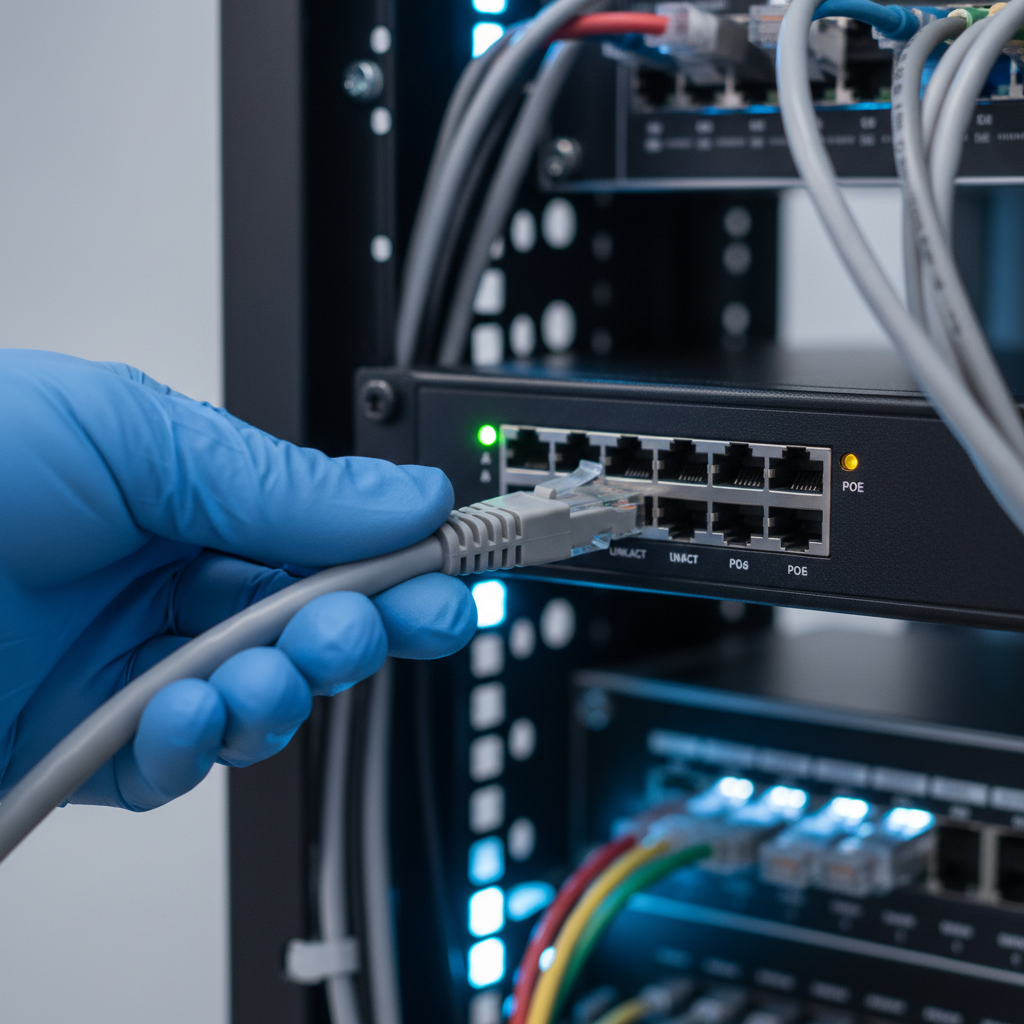
Successful home surveillance relies on the right tools: a PoE‑capable NVR, Cat5e/Cat6 cabling, outdoor junction boxes, weatherproof sealants, and a UPS. Add a managed PoE switch for flexibility, and use cable testers to validate runs up to the 100‑meter Ethernet limit.
- NVR with PoE ports: Simplifies power and data. Choose enough channels for future cameras and enough drive bays for retention.
- Managed PoE switch: Helps with VLANs, port power control, and troubleshooting.
- Outdoor junction boxes: Protect terminations and allow clean mounting under eaves.
- Cat5e/Cat6 cable + tester: Certify cable integrity; poor crimps cause intermittent video and power drops.
- UPS + surge protection: Keep the NVR up during brief outages and protect electronics from spikes.
Alpha9 Solutions also curates modern gear—4K wired IP cameras, dual‑lens and ePoE options, and installation accessories. If you’re mapping a new build, our home CCTV systems overview explains how we size NVR storage and select optics for entrances versus wide yards.
Want background terminology at your fingertips? Keep this CCTV security system guide handy while you plan zones, optics, and storage.
Case studies and examples
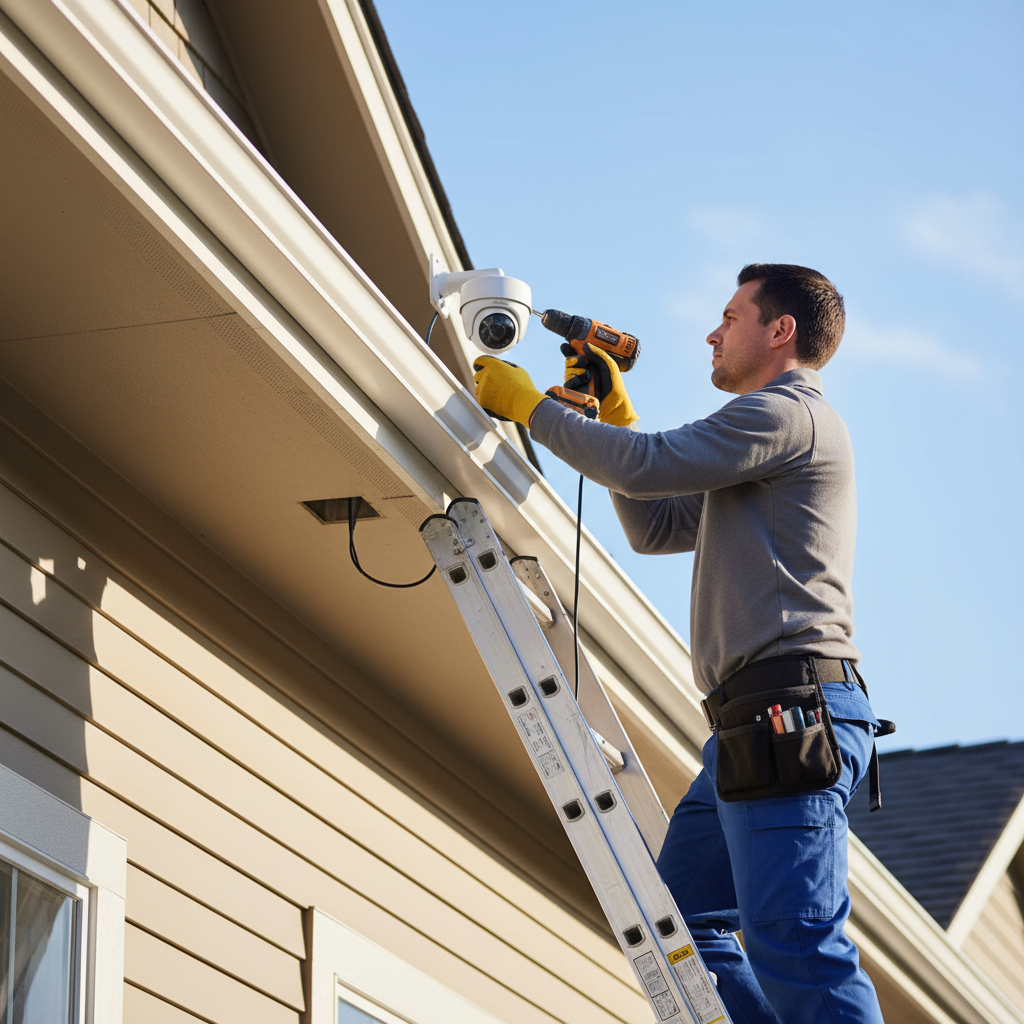
In our residential projects, we favor PoE‑wired 4K cameras for entries and driveways, then add Wi‑Fi units indoors where wiring is difficult. Strategic placement and lighting often outperform adding more cameras. These quick scenarios show how we tailor builds to real homes.
Scenario 1: Front porch and driveway clarity
A homeowner wanted crisp porch coverage and reliable plate reads at the curb. We installed a 4K turret at the door for faces and a 4K bullet angled across the driveway to minimize headlight glare. A PoE NVR with two bays provided 24/7 recording and at least two weeks of retention.
Scenario 2: Detached garage over long run
A long driveway required an extended‑reach camera at a detached garage. We used an extended PoE solution to keep a single‑cable workflow and mounted a turret under the soffit at ~9 feet. Wire terminations sat inside an outdoor junction box for weather protection and tidy maintenance.
Scenario 3: Add‑on interior coverage
The family wanted a quick living‑room view for notifications. We paired the exterior PoE system with an indoor Wi‑Fi camera tied to the same app, using event‑based recording to save bandwidth and storage.
For more practical inspiration, browse our CCTV surveillance overview and this external walkthrough on CCTV camera installation that mirrors many of our field practices.
Home surveillance FAQ
The most common home surveillance questions involve wired versus wireless systems, storage needs, night performance, and privacy rules. These short answers cover the essentials so you can plan with confidence and avoid rework later.
Is wired (PoE) better than Wi‑Fi for outdoor cameras?
For exterior coverage and continuous recording, PoE‑wired IP cameras are more reliable. A single Ethernet cable provides power and data up to 100 meters per segment, avoiding Wi‑Fi congestion and power issues. Wi‑Fi cameras work well indoors or where running cable is impractical.
How many days of video should I keep?
Many homeowners target 14–30 days, depending on camera count, resolution, and frame rate. Continuous 4K at 30 FPS uses more storage than event‑only recording. We size NVR drives based on your retention goal and whether specific zones need full‑time coverage.
What is Color Night Vision and when is it useful?
Color Night Vision keeps color in low light using larger sensors and supplemental illumination. It’s useful anywhere color adds context—clothing, vehicles, or package details. Pair with security lighting to extend the time your footage stays in color after dark.
Do I need listen‑in audio on my cameras?
Audio can provide helpful context but may be restricted by consent rules. Many homeowners enable audio at the front door and disable it elsewhere. We can help you configure audio and aim cameras to respect neighbors’ privacy while preserving useful coverage.
Conclusion and next steps
The best home surveillance system for you balances reliability (PoE + NVR), clarity (4K with smart detection), and ease of access (secure apps). Plan zones first, then choose cameras and storage that fit your daily routine and the physical realities of your property.
Key takeaways
- Start with a zone plan. One well‑placed 4K camera often outperforms two poorly placed 1080p units.
- Favor PoE‑wired IP cameras outdoors; add Wi‑Fi indoors where wiring is tough.
- Use Color Night Vision with security lighting to keep usable color after dark.
- Secure the system: strong passwords, MFA, and sensible network segmentation.
- Size NVR storage for your target retention window and frame‑rate choices.
Action steps
- Walk your property and mark front door, driveway, and side/back access points.
- Decide where the NVR and PoE power should live (cool, protected, near router).
- List must‑have features: 4K, smart motion detection, remote viewing, audio.
- Skim our internal video surveillance guide and home video systems overview.
- Contact Alpha9 Solutions for a free estimate—we’ll propose a clean, reliable design.
If you want one more external reference point while planning, this concise CCTV security system guide complements our recommendations above.

CCTV Motion Detection: Choose Safer Alerts in 2026

Electrical Installation & Maintenance: Safety Tips for 2026

Whole Home Rewiring: Complete Guide & Planning
