


Access control is the coordinated process of deciding who can enter a door, room, or system and enforcing that decision with credentials, hardware, and software. It lowers risk, speeds daily operations, and creates verifiable logs. From our Kingston base at 937 Gallaher Rd, Alpha9 Electric designs and installs access control for homes, businesses, and plants across Roane County.
By Aayush Patel — CEO, Alpha9 Electric
Last updated: 2026-05-27
Above the Fold: Hook, Overview, and TOC
This complete guide explains what access control is, why it matters for Tennessee properties, how systems work, and how to choose, install, and maintain them. You’ll get best practices, step‑by‑step checklists, and local insights from Alpha9 Electric—licensed, bonded, and insured electricians delivering end‑to‑end electrical and security solutions.
Here’s the thing: keys aren’t enough anymore. Lost keys, copied keys, and complicated rekeying slow you down and leave gaps. The right access control setup solves this with smart credentials, role‑based schedules, and clean audit trails you can trust.
- What access control means in plain English
- Why Kingston and Roane County facilities benefit now
- How readers, controllers, and locks actually work together
- Credential options: cards, mobile, PINs, biometrics
- Cloud vs on‑prem vs hybrid management
- Best practices for 2026 (policy, power, and visibility)
- Tools we specify as licensed electricians
- Real examples from retail, hospitality, offices, and industry
At a glance
- Primary gains: stronger safety, faster entry, less downtime
- Core parts: credentials, readers, controllers, locks, software
- Must‑haves: battery backup, surge protection, labeled wiring
- Nice‑to‑haves: mobile credentials, video integration, alerts
- Fit matters: match schedules and roles to how your team works
As a one‑stop electrical and low‑voltage contractor, we integrate doors, power, cameras, alarms, and networks so your system stays stable and simple to manage.
What Is Access Control?
Access control is the process of identifying a person, authenticating their credential, and authorizing entry to a door, room, or system. Readers, controllers, locks, and software enforce who gets in, when, and under what conditions—while creating an auditable activity trail for security and compliance.
In practice, access control balances safety, convenience, and accountability. Credentials (cards, mobile phones, PINs, or biometrics) are read at the door. A controller checks policy—who you are, which doors you can open, and at what times—then energizes the lock or denies entry and logs the event.
- Identity: Employee, resident, vendor, or visitor.
- Authentication: Badge tap, phone tap, PIN, or fingerprint.
- Authorization: Spaces and schedules assigned to each role.
- Audit: Time‑stamped logs for investigations and oversight.
We routinely tie access control to CCTV and alarms so you can verify events visually and get automatic alerts. That end‑to‑end integration is possible because Alpha9 Electric combines licensed electrical work with low‑voltage security—one team to design, install, and maintain it all.
For deeper reading on duties and workflows in access environments, see this practical access duties lesson. It pairs well with the hands‑on guidance in this guide.
Why Access Control Matters (Kingston & Roane County)
Access control reduces theft, protects people, and speeds operations for homes and businesses near 937 Gallaher Rd and throughout Roane County. It also supports audits and incident response with precise entry logs and alerts that clarify who accessed which area and when.
Local realities shape your needs: seasonal storms, mixed schedules, and multi‑tenant spaces are common in East Tennessee. Systems must unlock on set hours, issue temporary codes for contractors, and keep clean logs during rush periods. Reliable power, surge protection, and labeled wiring protect readers and controllers when lightning and outages strike.
- Protect people and assets: Limit access to inventory, cash rooms, electrical rooms, and IT closets.
- Speed daily flow: Mobile credentials and role‑based schedules keep lobbies clear at shift changes.
- Prove compliance: Access logs answer “who, where, when” in seconds.
- Scale smoothly: Add users and doors without rekeying every cylinder.
Our team designs systems for restaurants, gas stations, hotels, offices, and industrial facilities. The goal is simple: let people do their jobs while policy runs quietly in the background. For a broader take on business needs, this business access control overview aligns with what we see on the ground.
How Access Control Works
Modern systems link credentials and readers to intelligent controllers and cloud or on‑premises software. When a credential is presented, the controller checks policy, energizes the lock, and records the result. Stable power, clean networking, and fail‑safe hardware keep doors working during disruptions.
Think of four coordinated layers:
- Credentials: Proximity cards (125 kHz), smartcards (13.56 MHz), mobile wallets, PINs, and biometrics.
- Edge devices: Readers, door contacts, request‑to‑exit sensors, and keypads.
- Control: Single‑ or multi‑door controllers, often PoE‑powered, tied to browser‑based software.
- Locks & power: Electric strikes, magnetic locks, supervised power supplies, and battery backups.
Networking ties it all together: CAT6 cabling for readers and controllers, PoE switches, and secure VLANs. For resilience, we specify battery‑backed power supplies and, where access is mission‑critical, standby generators to keep doors functional during outages—work our electricians handle in‑house.
See access in action: mobile credentials are fast and flexible for contractors and multi‑site managers.
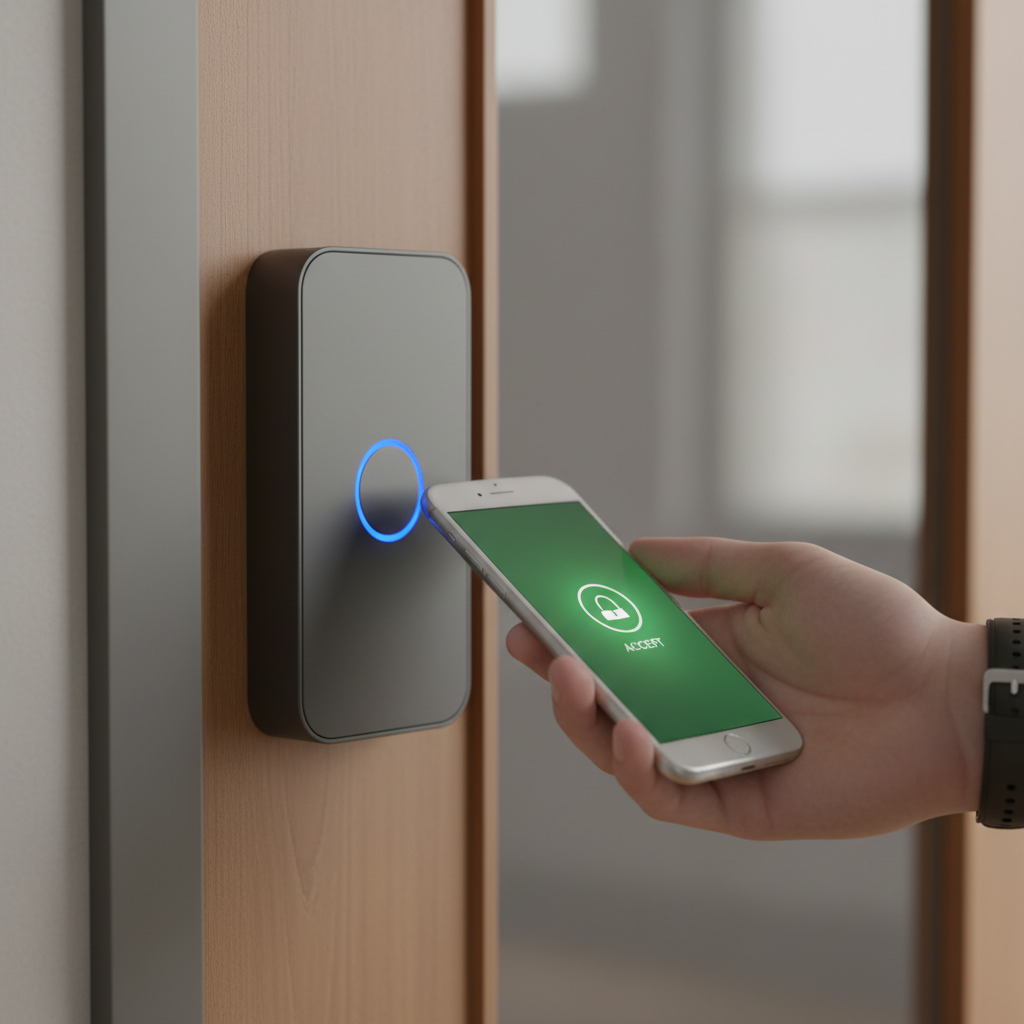
Because Alpha9 Electric also installs CCTV and alarm integrations, we can trigger video bookmarks on door events and send notifications for forced‑door or door‑held conditions. That single‑pane‑of‑glass visibility saves time during investigations and daily supervision.
To align electrical reliability with security, skim this brief electrical maintenance guide. Robust power practices support stable readers and controllers.
Types, Methods, and Approaches
There’s no single “best” model. Choose credentials (cards, mobile, PINs, biometrics), management style (cloud, on‑prem, hybrid), and policies (roles, schedules, exceptions) that fit your risk level, compliance needs, user volume, and daily operations.
Common patterns we deploy across Tennessee:
- Credential‑first: Cards or fobs are familiar and quick; mobile adds convenience without printing.
- Multi‑factor: Card + PIN or biometric for high‑risk areas like cash rooms and server closets.
- Cloud‑managed: Admin from any browser; great for multi‑site retailers, hotels, and franchise groups.
- On‑premises: Local server control for sites with strict IT policies or isolated networks.
| Model | Strengths | Considerations |
|---|---|---|
| Cloud‑based | Remote admin, easy updates, scales elegantly for multi‑site | Needs reliable internet and segmented networks |
| On‑premises | Local control, offline continuity | Requires server patching and local backups |
| Hybrid | Best of both for complex campuses | Plan integrations and identity sync carefully |
We often pair access with cameras so a door event can automatically pull up video. For hotels and fuel stations, that linkage is invaluable during incidents and audits. If your Kingston team is weighing intrusion detection too, our security system installation overview explains how alarms complement doors and cameras.
Access Control Best Practices (2026)
A layered approach works best: strong credentials, clean door schedules, least‑privilege roles, camera linkage, reliable power, and documented procedures. Review logs monthly, test fail‑safe hardware quarterly, and train staff to report tailgating and forced‑door alarms immediately.
Policy and people
- Issue unique credentials for each user; disable immediately on role changes.
- Apply least privilege: grant only the doors and hours each role needs.
- Set auto‑unlock windows for open hours; keep other times locked by default.
- Create incident playbooks for forced‑door, door‑held, and tamper alarms.
- Train on tailgating prevention—polite awareness beats awkward incidents.
Hardware and power
- Use fail‑secure strikes at exteriors when appropriate; reserve fail‑safe for egress paths that must unlock on power loss per life safety.
- Add battery backup for controllers and strikes; consider standby generation for critical doors.
- Label panels, circuits, and terminations; keep updated as‑builts for quicker service.
- Protect with surge suppression; Tennessee storms punish unprotected boards.
Visibility and integration
- Link doors with CCTV so door events auto‑bookmark video.
- Turn on notifications for after‑hours access, door‑held, and repeated invalid attempts.
- Audit logs monthly; export summaries for management and compliance reviews.
Installing or upgrading in 2026? A walk‑through with our licensed team covers door hardware, power, cabling, panels, and software roles in one session. For homeowners considering layered protection, this simple home alarm installation primer pairs well with smart locks and video doorbells.
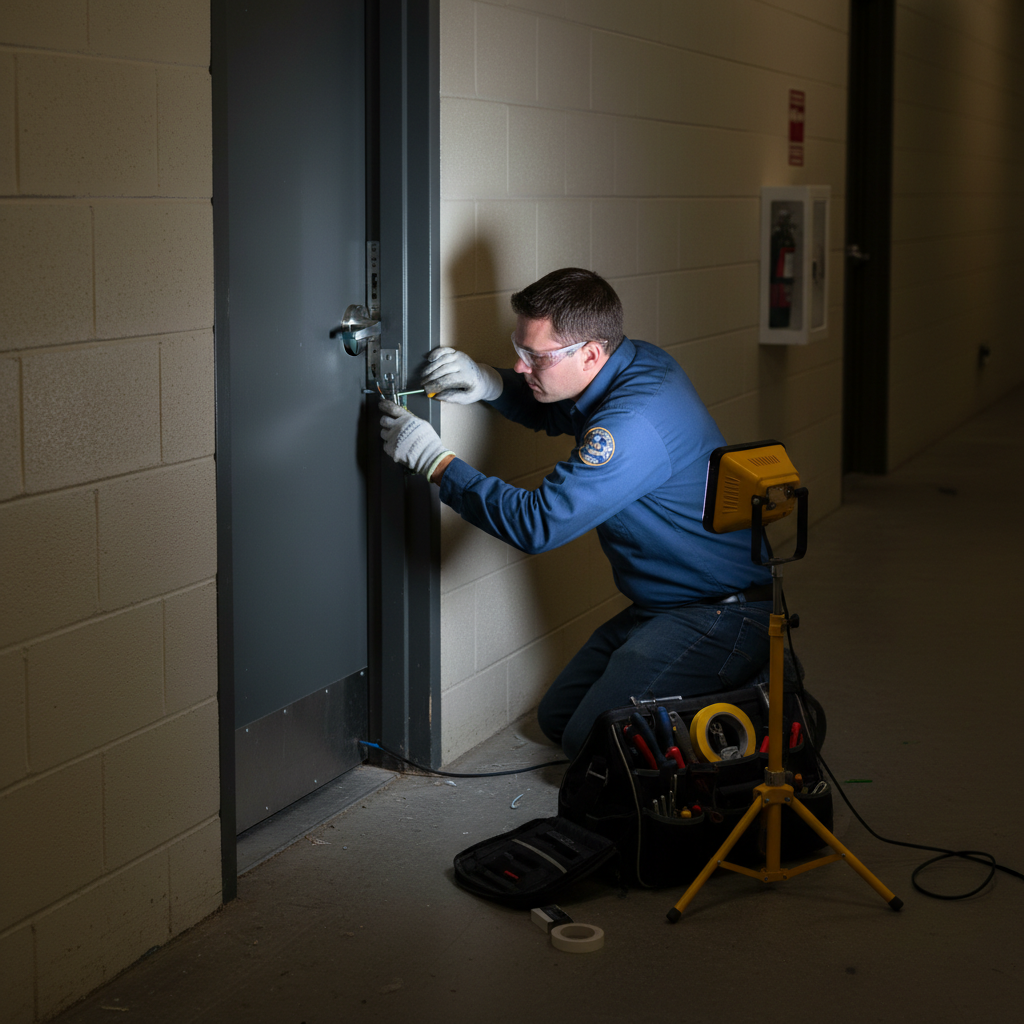
See a typical service moment below—clean terminations, correct hardware, and proper PPE matter for longevity and safety.
Tools and Resources We Recommend
Choose dependable readers, controllers, and software that support mobile credentials and open standards. Pair them with supervised power supplies, labeled enclosures, and surge protection. For multi‑site operations, prefer cloud‑managed platforms with role templates and simple provisioning.
- Readers: Multi‑technology (125 kHz + 13.56 MHz) support both legacy prox and modern smartcards.
- Controllers: Door‑level intelligence, PoE options, supervised inputs/outputs.
- Software: Browser‑based admin, granular roles, easy reporting, identity imports.
- Power: Supervised supplies with battery backup and surge protection, properly labeled.
- Networking: Dedicated VLANs, TLS, strong passwords, and change management.
Installer checklist
- Confirm life‑safety egress and door swing before hardware selection.
- Plan conduit and cable routes with future doors in mind.
- Document panel labeling and as‑built drawings at turnover.
- Schedule training for admins and front desk or shift leads.
- Set recurring maintenance for batteries and log reviews.
For a service‑forward perspective that echoes our approach, this preventive vs predictive maintenance explainer highlights why planned checks beat urgent scrambles.
Case Studies and Real‑World Examples
Access control delivers best when aligned with real operations. In Tennessee retail, hospitality, offices, and industry, we’ve seen fewer incidents, faster shift changes, and easier audits after deploying role‑based schedules, camera integration, and battery‑backed power for critical entries.
- Multi‑site retail (fuel + convenience): Cloud management standardizes cash‑room access and contractor badges that expire automatically. District managers approve exceptions from a phone.
- Hotel back‑of‑house: Housekeeping, maintenance, and F&B each get defined areas and times. A manager can unlock for late deliveries without handing out keys.
- Industrial facility: Card + PIN on the MCC room; doors stay operational during outages thanks to labeled power feeds, battery backups, and generators our electricians maintain.
- Offices and clinics: Visitor badges print with restricted routes; after‑hours access is logged with alerts to on‑call staff.
- Restaurants: Mobile credentials simplify turnover. Schedules auto‑unlock the front at open and keep storage locked until a manager arrives.
Local considerations for 937 Gallaher Rd
- Seasonal storms can cause short outages. Battery‑backed power supplies and generator‑ready wiring keep doors secure and safe.
- Holiday traffic increases deliveries. Temporary vendor codes and expiring mobile passes prevent lobby congestion.
- Regional staffing shifts vary. Role templates and schedules help Roane County sites maintain consistency across crews.
For broader electrical topics that touch security reliability, our commercial electric systems article and this industrial electrician guide break down practices that reduce unplanned downtime.
Frequently Asked Questions
These quick answers address selection, reliability, and integration so facility managers, owners, and homeowners can make confident decisions and plan next steps with a licensed contractor.
What credentials are most secure for building entry?
Smartcards and mobile credentials with modern encryption are harder to clone than legacy proximity cards. For sensitive rooms—cash, IT, or electrical—add a second factor such as a PIN or biometric to reduce risk from lost or borrowed badges.
Should I use cloud‑based or on‑premises access control?
Cloud systems simplify multi‑site management and remote support; on‑premises platforms suit facilities with strict local control or air‑gapped networks. Many Roane County businesses adopt hybrid setups—local door intelligence with cloud management for speed and scale.
How does access control integrate with CCTV?
Door events can trigger camera bookmarks or live views. During an alarm, you can verify who presented a credential and what happened next in one interface, which improves response and simplifies audits and incident reviews.
What maintenance does my system need?
Review access logs monthly, test door hardware quarterly, and replace batteries proactively. Keep software updated, document any schedule changes, and ask a licensed electrician to verify power, labeling, and surge protection during preventive visits.
How to Choose an Access Control Installer
Select a licensed, bonded, and insured contractor with both electrical and low‑voltage expertise. Look for end‑to‑end delivery—design, installation, training, and maintenance—plus clear documentation, labeled wiring, and fast emergency support backed by a satisfaction guarantee.
Evaluation checklist
- Licensing & insurance: Verify state licensing and coverage.
- Scope: Doors, power, CCTV, alarms, networking—one coordinated plan.
- Documentation: As‑builts, labels, admin training, and handover checklists.
- Support: 24/7 response, stocked spares, and remote diagnostics.
- Track record: Multi‑site brands, hotels, restaurants, and industrial projects.
Alpha9 Electric brings 25+ years of residential, commercial, and industrial experience—plus integrated CCTV, alarms, network cabling, and generator expertise. We back every project with a 100% satisfaction guarantee and provide ongoing commercial service insights so your team stays confident.
Implementation Steps: From Walk‑Through to Go‑Live
A smooth rollout follows clear steps: discovery and door survey, design and approvals, installation and labeling, software setup and training, then testing and handover. Document roles, schedules, and exceptions so your system mirrors real operations on day one.
- Discovery: Map doors, users, schedules, and risk areas. Note egress needs and traffic peaks.
- Design: Select readers, controllers, locks, power, and network topology; plan camera linkages.
- Install: Pull cable, mount hardware, label panels, and document routes for serviceability.
- Configure: Build roles, schedules, alerts, and temporary access procedures.
- Train: Teach admins and front‑line staff how to enroll and respond to alarms.
- Test & handover: Validate every door, fail‑safe behavior, reporting, and backups.
Because we also handle generators, surge protection, and panel work, our team ensures the electrical backbone supports the security layer—critical during storms and outages common across Tennessee.
Maintenance and Operations
Plan light, regular maintenance: review logs monthly, test doors quarterly, replace batteries on schedule, and refresh training after staffing changes. Keep labeling and as‑builts current so service visits are fast and predictable.
Recurring tasks
- Monthly: review logs for anomalies, bad reads, and after‑hours entries.
- Quarterly: test REX sensors, door contacts, and fail‑safe/fail‑secure behavior.
- Semiannual: update schedules and role templates; confirm emergency contacts.
- Annual: replace batteries, review power supplies, and validate surge protection.
Want a quick gut‑check on your facility? Our commercial and residential electrician guide outlines simple reliability habits you can adopt this week.
Key Takeaways
Choose access control that fits how your team works. Standardize roles and schedules, protect power, and integrate video for clarity. Work with a licensed installer who can design, wire, train, and maintain—so your doors stay reliable during storms, rushes, and staff changes.
- Match technology to real use: cards, mobile, PINs, or biometrics.
- Use least‑privilege roles and clean auto‑unlock windows.
- Protect controllers with battery backup and surge suppression.
- Integrate cameras and alerts for one‑screen awareness.
- Document everything and schedule simple, regular upkeep.
Next Steps
Book a walk‑through with Alpha9 Electric. We’ll survey doors, power, and workflows, then deliver a clear, future‑ready access plan—designed, installed, and supported by licensed electricians who know Tennessee facilities inside and out.
- Schedule a site visit at your Kingston or Roane County property.
- Get a door‑by‑door design and labeling plan.
- Receive training, documentation, and a maintenance cadence.
Mid‑article tip: If you manage multiple stores or buildings, ask us about cloud management and mobile credentials to speed onboarding and reduce badge printing hassles.
Final CTA: Ready to secure your doors the smart way? Request a discovery session at our Kingston base on 937 Gallaher Rd. One team handles power, doors, cameras, and training—end to end.


